



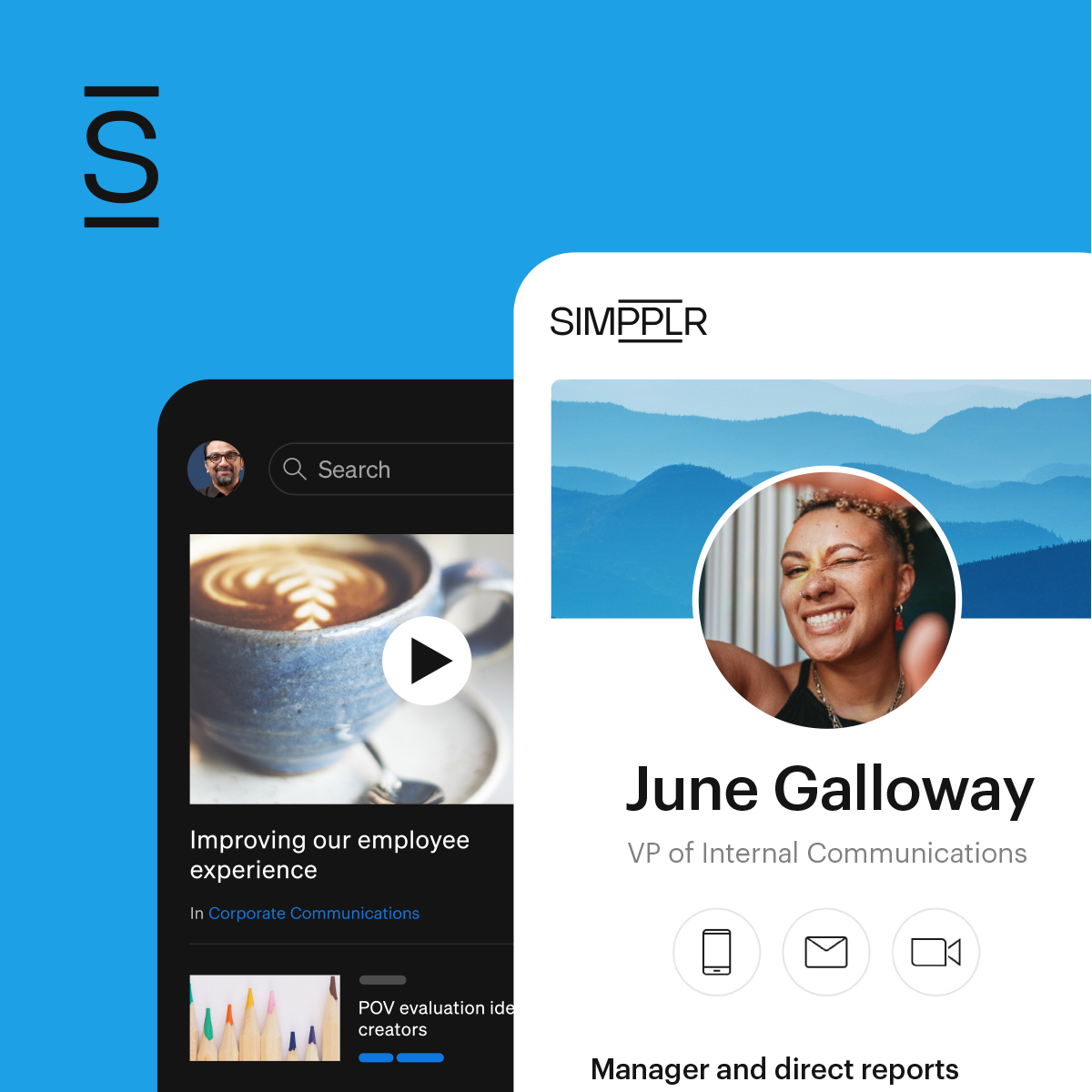

An intranet is a secure, internal digital workspace designed to centralize company information, streamline communication, and connect employees.
Think of it as a central hub that holds the organization’s single source of truth: policies, procedures, news, org charts, training, and a searchable knowledge base. It usually includes collaboration spaces (teams, project pages, wikis), document libraries with version control, forms and workflows (submitting PTO or expenses), and tools to message, comment, and co-edit files.
The intranet access is controlled by identity and permissions so people only see what they’re allowed to see. Intranets often integrate with other business systems (HR, CRM, help desk) so work happens in one place.
More than just an internal website, a modern intranet is an AI-powered platform that enhances collaboration, productivity, and employee engagement.
- 1 How an intranet works
- 2 Difference between intranet, internet and extranet
- 3 Evolution of the intranet from internal comms tool to employee experience platforms (EXPs)
- 4 Key benefits of an intranet
- 5 Essential features of today's AI-powered intranets
- 6 How to get the most from your intranet
- 7 Intranet disadvantages
- 8 Building a better digital workplace with a modern intranet
- 9 Intranet FAQs
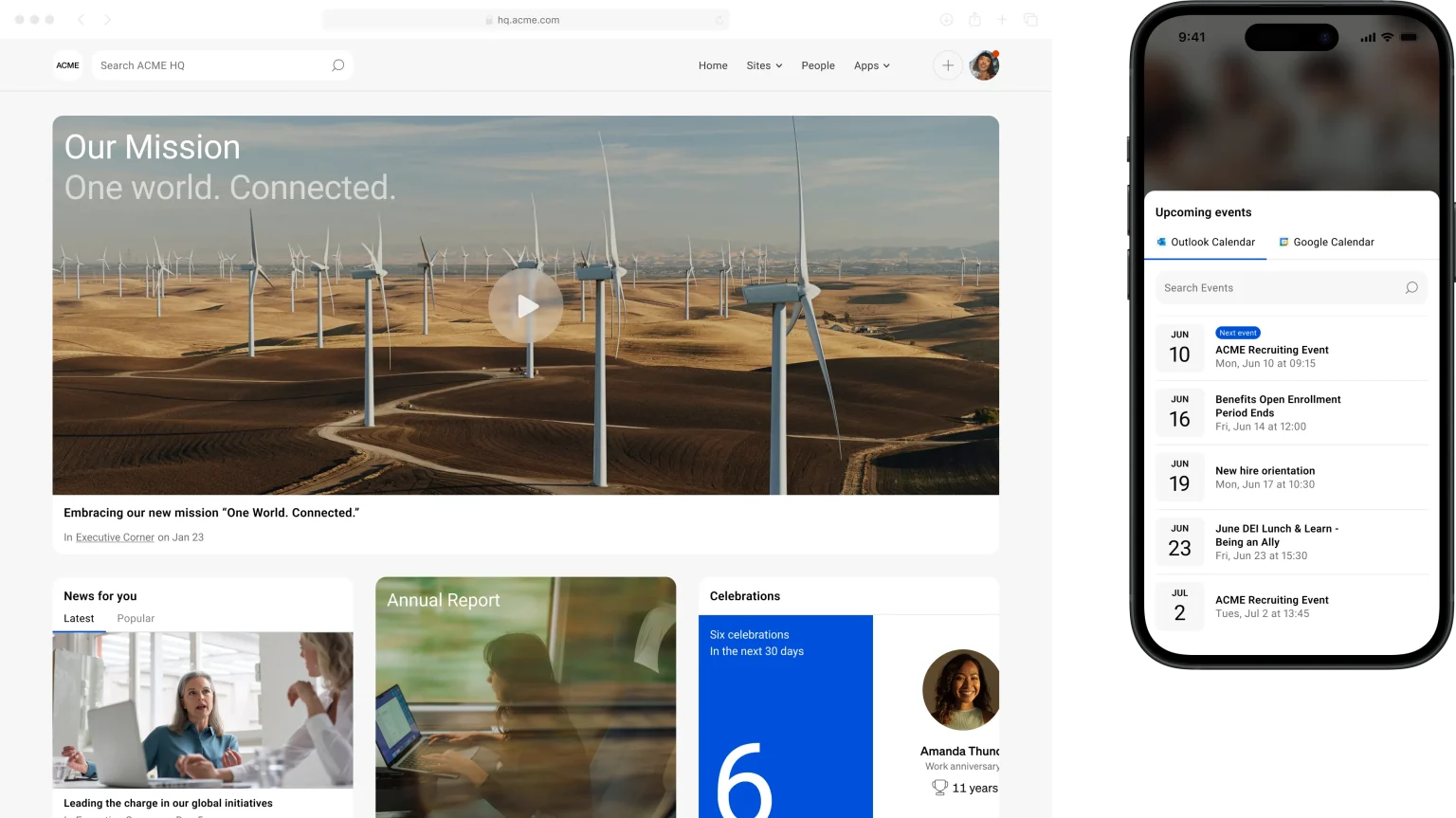
Intranet related concepts
- An employee intranet is a secure internal network specifically tailored for employees to collaborate, access HR documents, and build community, ultimately simplifying daily tasks.
- An intranet portal is the specific gateway or entry point to an organization’s intranet software, serving as the primary hub for accessing internal communications and document repositories.
- A social intranet replaces the traditional top-down communication model with a two-way, participatory experience making the intranet an active part of company culture. Employees contribute content, interact with posts, join interest communities, and build peer connections across departments and locations.
- A mobile intranet app is a native or mobile-optimized version of the company intranet, designed for employees who work away from a desk. It gives frontline workers, field teams, and remote employees secure access to company communications, documents, and tools from any device.
Key characteristics of an intranet include
| Aspect | What it means |
|---|---|
| Audience and access | Private, employee-only (or contingent worker) access; authenticated via enterprise SSO |
| Network boundary | Lives inside the corporate security perimeter (VPN/Zero Trust), even if cloud-hosted; not discoverable on the public web |
| Content focus | Internal, operational content and services (policies, SOPs, internal apps, workflows) rather than marketing/sales collateral |
| Collaboration and workflows | Spaces for teams/projects, co-authoring, requests and approvals, onboarding, and service desk |
| Measured adoption | Usage analytics, feedback loops, and continual improvement as an internal product |
How an intranet works
An intranet functions like a private version of the internet — built on the same underlying web technologies but accessible only to people inside your organization. Employees reach it through a secure login, either via a browser or a dedicated app, from any device they use for work.
Behind the scenes, the intranet sits on your organization’s servers or a cloud-based infrastructure, with access controlled through authentication — typically single sign-on (SSO) tied to your existing identity provider. A firewall separates it from the public internet, ensuring that company content, communications, and data stay internal.
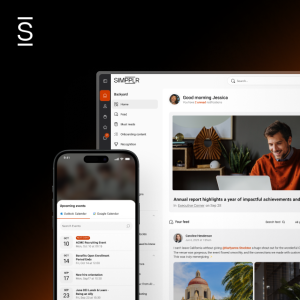
From the employee’s perspective, the experience feels much like using any modern web application. They log in and land on a personalized homepage — a feed of company news, quick links to tools and documents, and updates from their team. Whether they’re searching for an HR policy, reading a leadership announcement, or finding a colleague’s contact details, everything is accessible from one place, on any device, without switching between systems.
Difference between intranet, internet and extranet
Intranet, internet, and extranet may sound similar, but they serve very different purposes.
Intranet vs. internet
The key difference between an intranet and the internet is simple. The internet is a global network, also known as the ‘World Wide Web’ that anyone can access with an internet connection.
On the other hand, an intranet is a private network used within a company. It’s like an internal version of the internet that only employees can access, and it’s used to share company news, documents, tools, and resources securely.
Intranet vs. extranet
An extranet is an extension of an intranet that allows authorized external users, like partners, vendors, or clients, to access certain information or systems. An example of an extranet would be this glossary that you’re reading — you’re on the internet reading it, and it’s accessible to everyone. But an intranet would be hidden from you unless you were an employee of an organization that uses it.
Evolution of the intranet from internal comms tool to employee experience platforms (EXPs)
The intranet has never stood still. From static file repositories to social platforms to AI-powered experience layers, each era reshaped what employees expect from their digital workplace and what organizations can demand from it.
The static repository era
In the late 1990s, early intranets were little more than shared network drives with a thin interface on top. Solutions like SharePoint gave organizations a way to store and label content, but the experience was rigid and IT-dependent. Launching required heavy technical lift, updates were slow, and employees quickly learned to work around the system rather than with it.
As a result, content went stale, adoption collapsed, and the intranet earned a reputation as a place where information went to die.
The social enterprise era
In the early 2000s, the rise of Facebook and LinkedIn changed what employees expected from digital communication. Organizations took note and vendors rushed to bring social mechanics into the workplace. Newsfeeds, profiles, likes, and comments entered the intranet vocabulary.
But most social intranet tools landed as point solutions: adopted enthusiastically, used sporadically, and rarely integrated into how work actually got done. The idea was sound; the execution fragmented.
The modern intranet renaissance
The modern intranet is experiencing a renaissance and has become purpose-built. Cloud-native, mobile-first, and designed around the actual flows of internal communication — these platforms finally delivered on the promise of a single destination for company news, documents, people, and processes.
Intranets became the digital home base; where employees start their day, where leadership communicates at scale, and where culture is continuously reinforced.
It has perfected the previous generation’s abilities and helps employees stay informed on all must-read communications.
The sprawldyosis problem
As SaaS adoption exploded through the 2010s, the average enterprise employee was navigating 10, 20, sometimes 30+ disconnected tools — Slack for chat, Workday for HR, Confluence for docs, Salesforce for CRM, and dozens of others.
The intranet sat at the centre of this mess without the power to make sense of it. Employees suffered from context-switching fatigue, duplicated notifications, and fragmented knowledge. No single tool had the full picture and no one could find what they needed without knowing exactly where to look. This tool fragmentation problem started to drain on productivity, morale, and ultimately, the employee experience.
The AI era of intranets
The LLM boom proved to be the solving equation since intranets could more than just store and surface information. It could understand it, connect it, and deliver it in the right context, to the right person, at the right moment.
What AI unlocks for the modern intranet
AI-powered intranets reason across an organization’s entire knowledge base, regardless of where it lives.
- Cognitive search that answers questions in natural language, not just returns links
- Proactive content delivery surfacing what you need before you search for it
- Personalised feeds and recommendations tailored to role, location, and behaviour
- AI-assisted tools that help communicators create, translate, and optimise intranet content at scale
- Analytics that surface engagement gaps, content decay, and sentiment shifts before they become retention risks
Enter the employee experience platform (EXP)
The modern answer to tool fragmentation isn’t yet another tool but an experience layer. An employee experience platform (EXP) combines the intranet’s core strengths (communications, culture, knowledge) with an AI-powered intelligence layer that aggregates, connects, and makes sense of the wider SaaS ecosystem.
Instead of forcing employees to context-switch between a dozen applications, an EXP surfaces the right information from any connected system (HR, project management, CRM, comms) within a single, unified interface.
The intranet didn’t disappear in the AI era. It evolved into something more ambitious: the connective layer between your people, your tools, and your organization’s collective intelligence.
Key benefits of an intranet
Intranets provide a platform for communication within an organization. A well-implemented intranet delivers across three critical dimensions.
Organizational productivity and operations
Modern intranets cut friction across everyday work while tightening controls.
- Centralised knowledge and resources: One searchable home for policies, processes, templates, and documentation helps reduce time lost to duplicated effort and inbox overload.
- Streamlined internal communications: Company news, announcements, and updates reach every employee across roles, locations, and time zones instantly and consistently.
- Faster onboarding & process adoption: New hires get up to speed faster when training materials, org charts, and SOPs are structured, accessible, and always up to date.
Company culture and employee retention
A well-designed intranet reinforces your organization’s values, gives employees a voice, and keeps people connected to something larger than their task list.
- Stronger sense of community: Employee directories, team spotlights, and social feeds help people connect across departments — reducing isolation, especially in hybrid or remote teams.
- Clarity of purpose and improved employee engagement: Keep employees aligned with where the organization is heading and why it matters with leadership messaging, mission updates, and strategic goals.
- Improved employee retention: Employees who feel informed, included, and connected are measurably more likely to stay thus reducing costly attrition.
Employee and customer experience
When internal tools are intuitive, employees perform better elevating employee experience, and customers feel the difference.
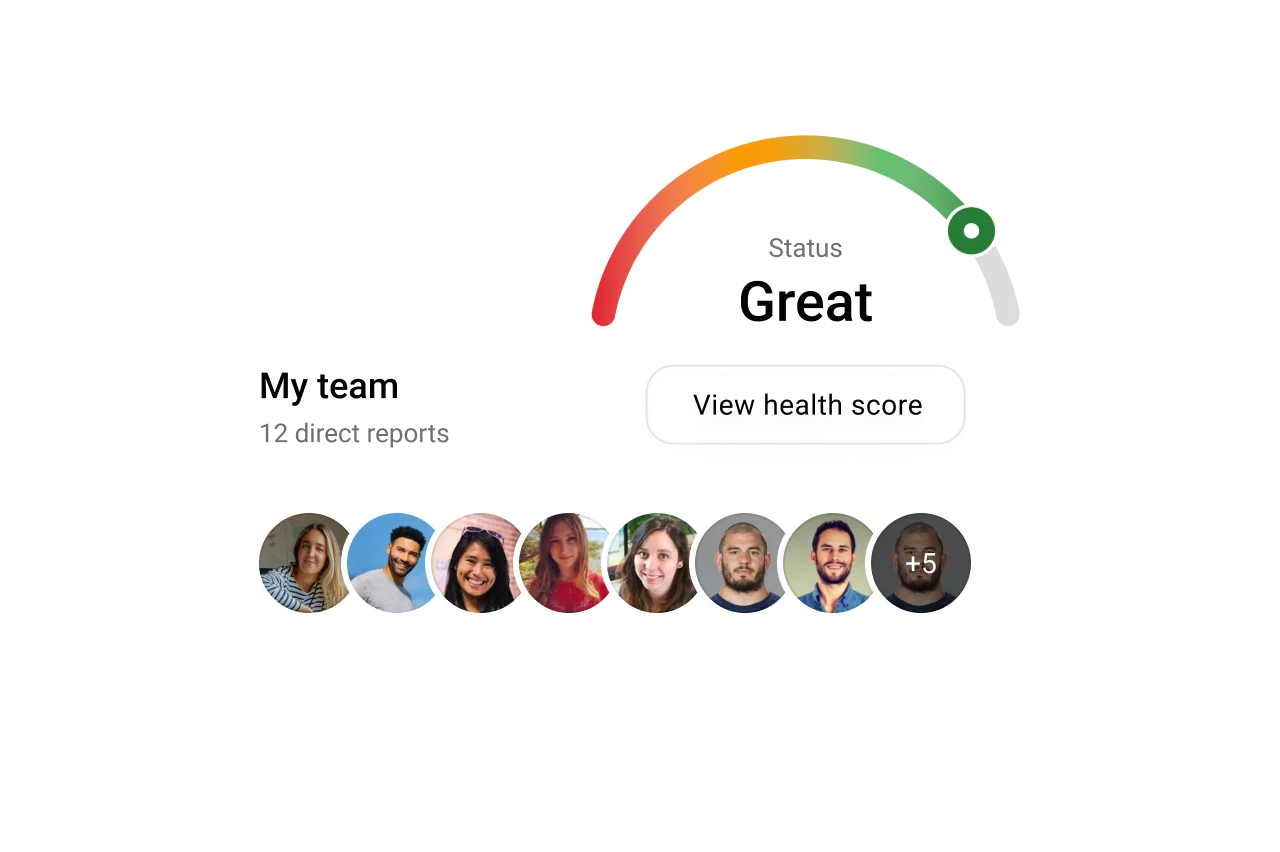
- User-friendly UI reduces day-to-day friction: A well-designed intranet that’s easy to navigate means employees spend less time searching and more time doing, directly lifting output quality and morale.
- Better EX translates to stronger CX: Employees who have fast access to the right information serve customers with greater confidence, accuracy, and empathy — improving customer satisfaction scores and loyalty.
- Measurable ROI on internal tooling: Your intranet is one of the highest-leverage investments in your people stack as it helps reduce onboarding time, fewer support escalations, lower employee turnover, and higher productivity.
Essential features of today’s AI-powered intranets
As organizations evaluate modern platforms, the gap between basic portals and genuinely transformative employee experience platforms comes down to a handful of capabilities. Here’s what to look for and why it matters.
AI enterprise search
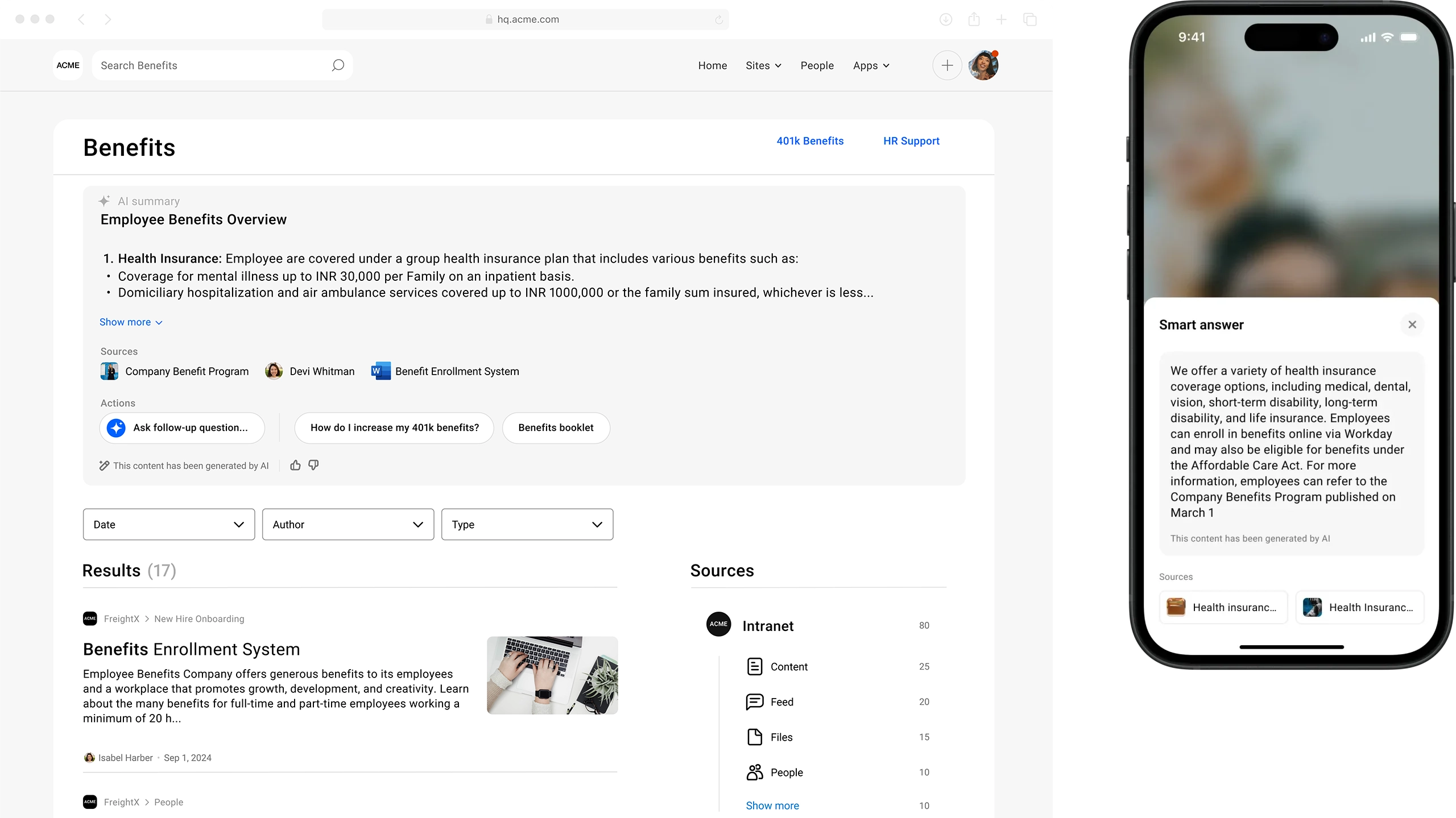
AI enterprise search is a must-have feature that determines whether employees actually use the intranet or work around it. The best implementations go beyond keyword matching to understand intent, query across all connected business systems, and return direct answers rather than a list of links to sift through.
- Natural language queries: Employees ask questions the way they speak, the search engine understands context and returns a single, relevant answer rather than a paginated results list.
- Cross-system search: One query searches across the intranet, HRIS, CRM, knowledge bases, and productivity tools simultaneously thus eliminating the need to know where information lives.
- Personalised results: Search output adapts to the employee’s role, location, and past behaviour, surfacing what’s most relevant and recently published content to them.
AI for employee experience
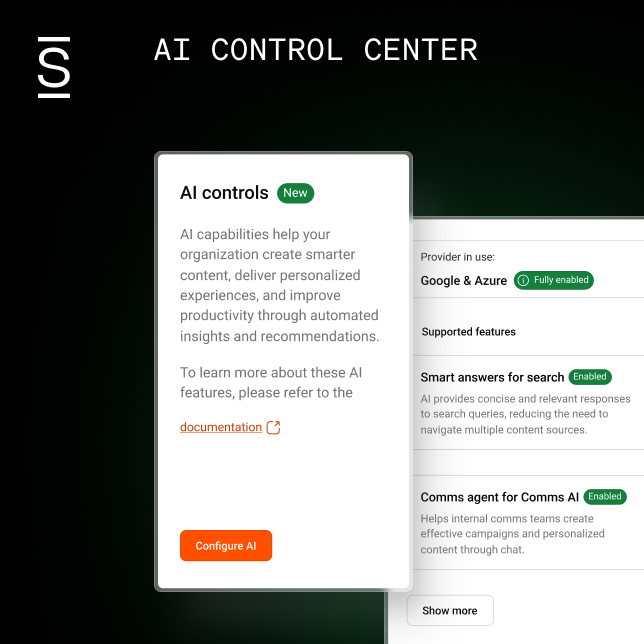
The most impactful employee experience AI removes the friction that slows employees down. From helping communicators draft and translate content to automatically flagging outdated pages, generative AI capabilities should be embedded throughout the platform and governed responsibly, with clear transparency about how data is used.
- AI writing assistant: Helps create, refine, localise, and translate content at scale helping reduce publishing time without sacrificing quality or tone consistency.
- Proactive content delivery: Surfaces relevant documents, announcements, and learning resources for each employee before they search based on role, recent activity, and organizational signals.
- Responsible AI guardrails: Enterprise-grade AI should include clear data privacy controls, transparent sourcing for AI-generated answers, and auditability so employees and administrators trust what the system surfaces.
Core capabilities and governance
Evaluate intranet platforms on the operational capabilities that determine long-term success. Ask questions like: how easy it is to get started, how deeply it integrates with your existing stack, and how well it keeps employees informed and compliant at scale.
Intranet must-have core capabilities
- Intuitive user experience: Employees should be able to navigate the platform across devices without rigorous training.
- Seamless integrations: Look for out-of-the-box integrations with tools in your techstack like Slack, Teams, Office 365, Workday, and Salesforce plus open APIs for custom connections.
- Mobile accessibility: A dedicated mobile app ensures remote, hybrid, and deskless workers have the same quality of access as their office-based colleagues.
- Analytics and sentiment insights: Real-time dashboards should surface content performance, readership rates, employee sentiment, and search behaviour giving communications teams and managers the data to act.
- Compliance and awareness checks: Built-in acknowledgement tracking and pulse surveys verify that employees have read and understood critical communications and meet compliance requirements without creating administrative burden.
- Effortless migration and onboarding: A modern intranet platform should make it straightforward to migrate content from legacy systems with structured onboarding experiences that reduce ramp time from day one.
How to get the most from your intranet
Getting lasting value from your intranet means making deliberate choices about how it’s structured, governed, and experienced — from day one and beyond.
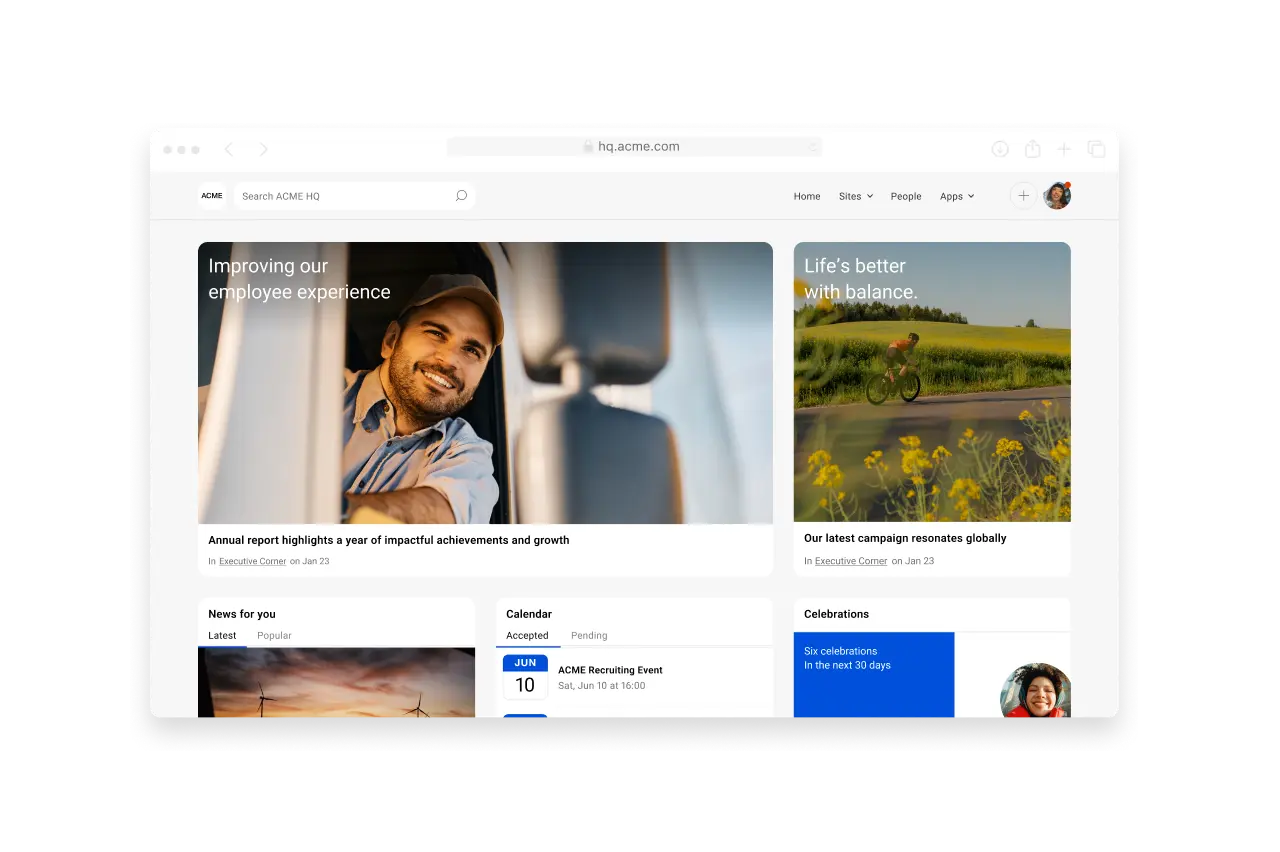
Centralize information and access: Manage companywide information in one place.
- Establish one source of truth: Designate your intranet as the authoritative home for all company policies, announcements, and documents — and enforce a governance process that retires outdated content regularly.
- Prioritize intelligent search: Deploy AI-powered intranet search that queries across all connected systems and returns contextually relevant answers, so employees find what they need in seconds rather than minutes.
- Personalize every experience: Serve each employee a role-based homepage that surfaces relevant news, tools, and tasks automatically — reducing information overload and increasing daily engagement.
- Go mobile-first: Build for the device employees actually carry — a responsive, app-quality mobile experience ensures remote, hybrid, and frontline workers stay informed and connected wherever they work.
- Communicate across channels: Extend your intranet’s reach by pushing critical messages through Slack, Teams, SMS, and email, so important updates land regardless of whether employees log in that day.
- Integrate your tech stack: Connect your intranet to the HR, CRM, and productivity tools employees already use — and enable single sign-on (SSO) to eliminate the login friction that quietly kills adoption.
- Activate recognition and community: Use built-in social features and recognition tools to make peer appreciation, team wins, and cultural moments visible — turning your intranet into a place people want to visit, not just have to.
- Automate routine workflows: Offload repetitive HR and IT requests, content routing, and task reminders to AI-driven automation — freeing employees to focus on higher-value work.
- Empower managers with data: Give people managers real-time dashboards that surface team sentiment, engagement trends, and communication gaps — so they can act on issues before they become retention risks.
- Measure and iterate continuously: Track readership, dwell time, and sentiment signals to understand what content resonates — then use those insights to refine your communications strategy on an ongoing basis.
Intranet disadvantages
So, are there drawbacks to the intranet platform? The short answer? Yes. Time consumption costs and monetary reasons are the top two disadvantages.
However, these concerns mainly hold true for older, outdated intranets that lack features or tools and which are not user-friendly, and this can mean there is a greater need for a deeply involved administrator. So, let’s take a closer look.
Needing dedicated intranet management
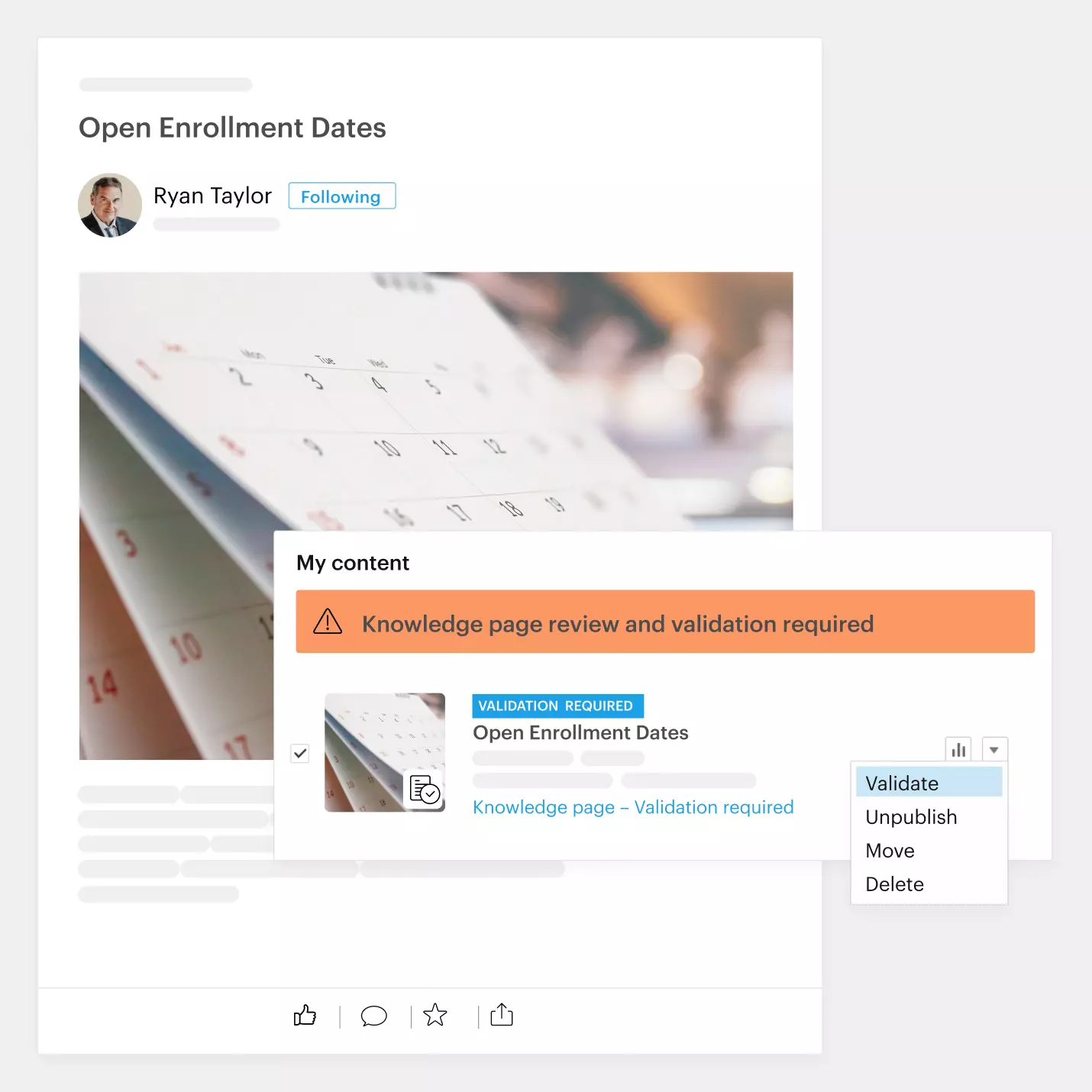
The benefits of a modern intranet do away with the need for an involved administrator. Automation tools, such as an auto governance engine, help companies manage data efficiently and straightforwardly. For example, an auto governance engine manages content by keeping content fresh and trustworthy by deleting or archiving expired content.
Lack of tools
Modern intranets offer a variety of employee experience-focused tools — meaning they reduce friction and frustration by providing employees with what they need at their fingertips when they need it. And this includes their mobile devices. Additionally, a modern intranet integrates employee productivity apps into the platform, giving employees a single source for everything they need.
Time-consuming to learn
Usability is vital when it comes to intranets. And some are clunky, making them difficult to use, and thus employees are less likely to use them. Intranet training and onboarding should be simple and seamless. Modern intranets today have customizable onboarding flows. Leadership can designate orientation content at the organizational level and for individual departments, roles, and regions.
Information overload
Your intranet shouldn’t be a dumping ground — however, for some intranets, that’s precisely what you get. With a modern intranet, organizations can streamline information so that data specifically relevant to specific departments or employees is viewable only by them. For example, store closures in Brooklyn due to a snowstorm aren’t the information the Florida office needs. This ability keeps the company intranet free and clear of irrelevant clutter.
Intranet security and compliance headaches
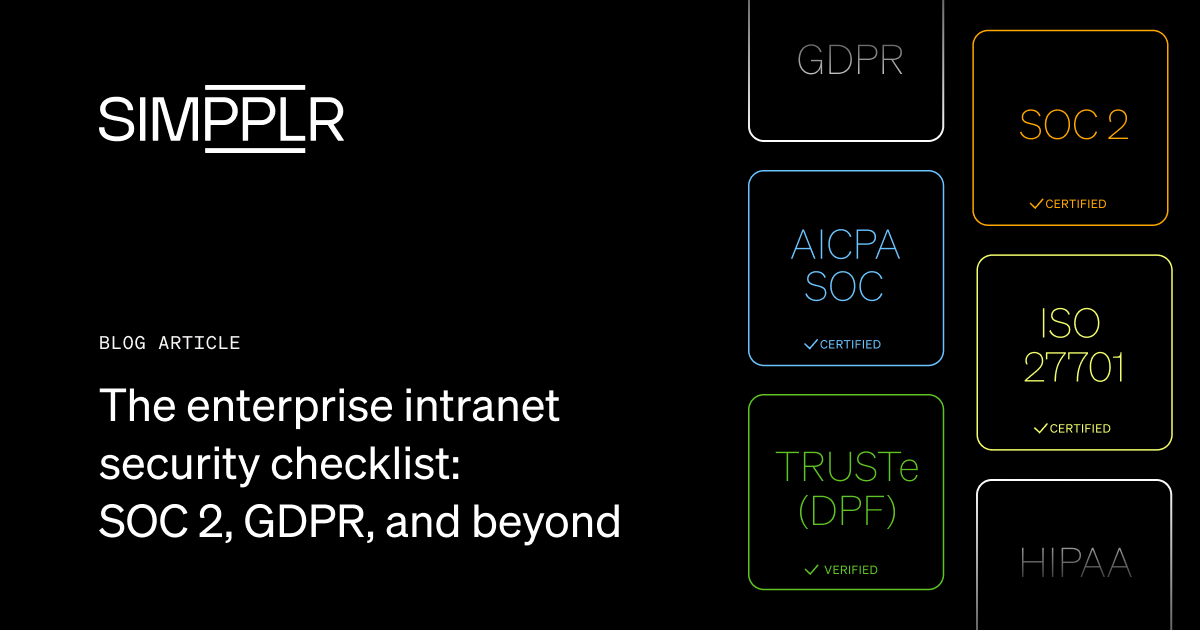
Older intranets can create unnecessary risk — from loose permissions to outdated documents lingering past their retention windows. Modern intranets reduce that risk with role-based access controls, SSO/MFA, at-rest and in-transit encryption, and automated retention/archiving policies.
They also integrate with your identity provider and HRIS to auto-provision and deprovision users, log activity for audits, and support eDiscovery. This ensures sensitive content stays locked down and compliance becomes a background process, not a fire drill.
Building a better digital workplace with a modern intranet
The organizations winning on employee experience share one thing in common: they stopped treating their digital workplace as a collection of tools and started treating it as a system. That shift — from fragmented SaaS stack to a unified, intelligent platform — is where the real gains in productivity, retention, and engagement come from.
If your intranet still feels like a place employees visit reluctantly, where search comes up empty and content goes stale, that’s not an adoption problem. It’s a platform problem. Auditing your current stack through the lens of fragmentation — where are people context-switching, where is knowledge getting lost, where is AI absent or superficial — usually reveals the same answer: the foundation needs to be stronger.
The good news is the bar for what a modern intranet can do has never been higher. AI-native platforms now exist that can unify communications, search, culture, and service delivery in a single experience. This ensures improved employee adoption and gives HR, IT, and communications leaders the visibility to keep improving the intranet.
Why leading organizations choose Simpplr’s modern intranet
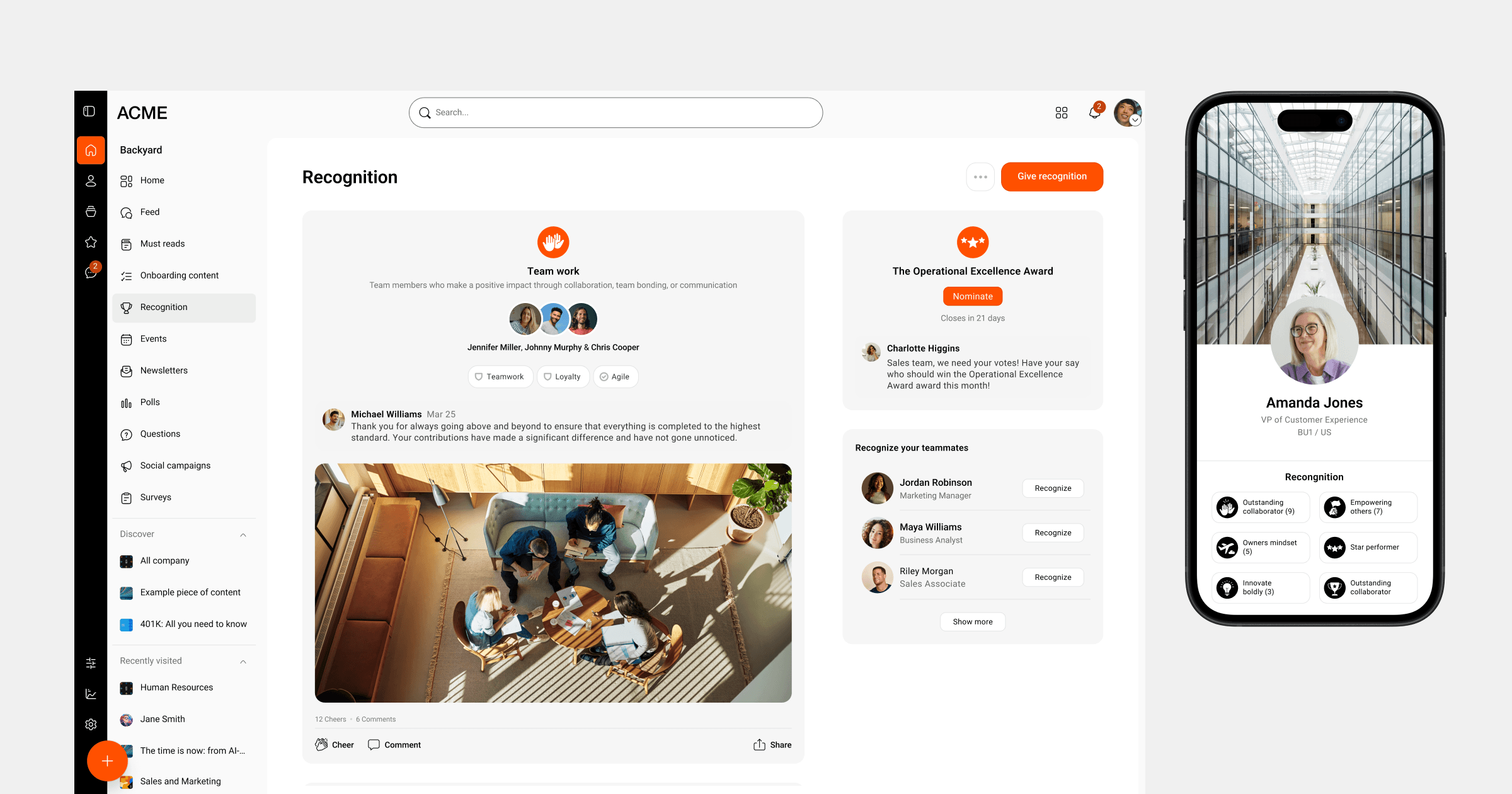
Simpplr is the only AI-powered employee experience platform named a 4X Leader by the industry’s top analyst and peer review organizations — Gartner, Forrester, IDC, and G2. Built with the modern intranet as its foundation, Simpplr unifies communications, enterprise search, recognition, surveys, and HR service delivery in a single platform, with AI embedded across every layer rather than added as an afterthought.
Trusted by more than 1,000 organizations including AAA, Moderna, and the NHS, Simpplr consistently earns top marks for ease of use (94%), quality of support (94%), and ease of administration (91%) on G2 — reflecting a platform that delivers value quickly and sustains adoption long-term.
Ready to see how Simpplr intranet can transform employee experience? Reach out for a demo to see how thousands of HR, IT, and communications leaders chose it to build a better digital workplace with Simpplr.
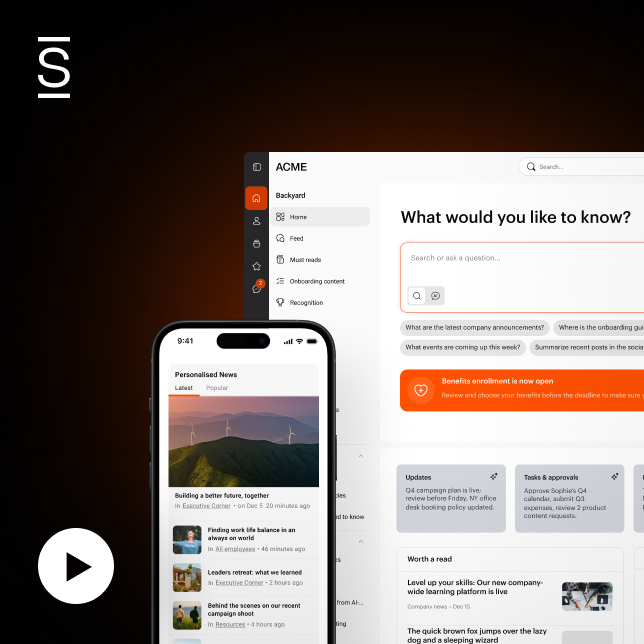
Watch a 5-minute demo
See how the Simpplr employee experience platform connects, engages and empowers your workforce.
- #1 Leader in the Gartner Magic Quadrant™
- 90%+ Employee adoption rate
Intranet FAQs
An intranet is used to centralize a company’s “single source of truth” and streamline how employees find information, collaborate, and get work done. It hosts policies, procedures, org charts, training, and a searchable knowledge base; provides collaboration spaces for teams and projects; and supports workflows like PTO, expenses, approvals, and onboarding.
Common types include an employee intranet (for secure collaboration and HR access), an intranet portal (the main gateway to internal tools and content), and a social intranet (two-way, community-driven communication). Many organizations also use a mobile intranet app to give frontline and remote workers secure access from any device.
Look for AI enterprise search that understands natural language, searches across systems, and returns direct answers. Prioritize embedded AI for content creation/translation, proactive delivery, and responsible guardrails, plus core capabilities like seamless integrations, intuitive UX, mobile access, analytics/sentiment insights, compliance checks, and easy migration/onboarding.
Modern intranets provide document libraries with version control to ensure accuracy and auditability. Security is enforced with role-based access, SSO/MFA, encryption in transit and at rest, automated retention/archiving, and integration with identity providers and HRIS for provisioning and activity logging.
Typical challenges include time and cost to launch, the need for dedicated administration, clunky UX that’s hard to learn, and information overload from ungoverned content. Older or fragmented systems can also create security and compliance risks; modern platforms mitigate these with automation, governance engines, and role-based personalization.