


Your traditional intranet used to be enough. Now employees expect to find answers in seconds from your system, one that was built to improve the overall employee experience. But for IT professionals, every weekend spent patching servers is a weekend not spent meeting that bar. The mobile access requests keep coming. The hardware refresh keeps looming. Something has to give.

On-premise or cloud-based intranet: which model serves you better
On-premise or cloud-based intranet: which model serves you better
Table of contents
- 1 Understanding on-premise and cloud-based intranet models
- 2 How intranet infrastructure ownership shapes long-term decisions
- 3 On-premise vs. cloud-based intranet side-by-side comparison
- 4 When to choose an on-premise intranet
- 5 When to choose a cloud-based intranet
- 6 Choosing a cloud-based intranet for your organization
- 7 How Simpplr’s cloud-intranet platform can help
The question for you has changed. Whether your intranet works, whether on-premises still serves you, or whether a cloud-based intranet would now. To help you answer this question and make a decision, we have compared the two deployment models against the criteria that matter to you. These include cost, maintenance, scalability, security, and recovery.
We have also described specific situations where on-premise still makes sense. But for most organizations, the evidence now points to adopting a cloud intranet platform. Here’s a comparison.

Understanding on-premise and cloud-based intranet models
The architectural differences between the two models call for a clear understanding of each model’s specifics. On-premise puts your team in charge of various layers such as hardware, patching, and backups. On the other hand, cloud shifts ownership to the vendor for server scaling, security patches, and uptime guarantees. Here’s a detailed comparison of both models.
What is an on-premise intranet
An on-premise intranet runs on servers your organization owns and operates, hosted in your own facilities or a data center you manage. Everything sits inside your jurisdiction, governance, network perimeter, and managing it is entirely your team’s job.
You own a number of responsibilities, such as:
- Procuring and maintaining the hardware
- Licensing the software
- Patching security
- Running backups and disaster recovery
- Managing network access
You can host your intranet on virtual servers or private clouds. It’s still an on-premise intranet because you own the entire environment end to end.
Why choose on-premise intranet
The main reason for organizations to choose on-premise intranet is control. When the hardware and data environment are entirely yours, you decide where to store the data and when to change it.
There’s a historical reason too. For years, on-premise was the only viable option, so anyone deploying before mature SaaS existed built this way by default. That infrastructure is still in place for many organizations since it still works and is tightly woven into how the business runs.
However, the operating difficulties are hard to ignore. The maintenance burden grows as hardware ages, consuming IT capacity that could go elsewhere. Costs stretch past the build to refresh cycles, licensing, power, and staff time. Moreover, on-premise platforms typically lag on AI-powered enterprise search and personalization.
What is a cloud-based intranet
A cloud-based intranet is a private, internal company network delivered over the internet and hosted by a cloud provider instead of on-premises servers. It centralizes communication, documents, and tools, including remote workers. This offers easy access from anywhere, built-in scalability, and reduced maintenance since updates and infrastructure are managed by the vendor.
In a cloud-based intranet, the vendor hosts and maintains the infrastructure. Your organization accesses the platform through a browser or mobile app.
How cloud-based intranets work
In a cloud-based intranet deployment, your intranet is hosted on the vendor’s cloud and accessed securely through your browser or mobile app, typically via SSO. The vendor delivers continuous updates and secure scalability behind the scenes while your data stays isolated and governed by your organization’s policies.
A cloud-based intranet is a shared responsibility between the intranet provider and the organization with a distributed workforce.
Here’s what the vendor does in a cloud-based intranet setup:
- Runs and scales the servers
- Patches security
- Guarantees uptime
- Handles backups
- Ships software updates
- Maintains compliance certifications like SOC 2 and ISO 27001
While the vendor manages all this, the organization retains control of the layer that matters most — content, user permissions, integrations, and the overall experience. Instead of redundant tasks, your team focuses on what matters most to the employees as part of an efficient capacity planning system.
When to switch to a cloud based intranet solution
Adopting a cloud intranet solution as the first move for organizations makes the best sense. However if you already have an intranet, there are good triggers to switch to a cloud-based intranet.
These triggers include:
- Upcoming hardware/virtual machine (VM) or license renewals
- Office moves, M&A, or rapid headcount changes
- After a security incident or audit finding tied to on-premise hygiene
- Starting or expanding Microsoft 365 or Google Workspace rollouts
- Low intranet adoption and mounting shadow IT tools to consolidate
A cloud-based intranet delivers rapid rollout, lower IT overhead, secure scalability, easy remote access, built-in disaster recovery, and seamless SaaS integrations. It also future-proofs your intranet with continuously updated AI-powered search, recommendations, and personalization — capabilities that advance fastest in a cloud-based intranet setup.
How intranet infrastructure ownership shapes long-term decisions
Choosing an intranet deployment model isn’t merely a technical decision. It translates into employee onboarding, staffing, budgeting, and how quickly your organization can respond as the business changes.
What felt like the right call five or 10 years ago was sound given the tools available then. But today, the ownership model you pick will shape your flexibility for years to come. Here’s how.
| Ownership factor | On-premise | Cloud |
|---|---|---|
| Staffing & skills | Dedicated IT specialists needed | Leaner team, strategy-focused |
| Speed of response | Manual resizing | Elastic, automatic scaling |
| Budget predictability | Irregular capital spend | Steady subscription cost |
| Risk & uptime | Your responsibility | Vendor SLAs |
| Pace of innovation | Upgrade-project dependent | Continuous improvement |
| Long-term flexibility | Capped by team capacity | Capped by vendor roadmap |
Staffing and skill requirements
On-premises ownership requires dedicated IT specialists for hardware, patching, and infrastructure maintenance. In contrast, cloud ownership allows the same team to operate more leanly and redirect effort toward effective strategic communications and decision making.
Speed of response to organizational change
Infrastructure you own must be manually resized for growth, M&A, or seasonal spikes. Whereas the vendor-owned infrastructure absorbs those changes elastically and without project overhead.
Budget predictability and planning cycles
Owning the environment means budgeting for irregular capital expenses, such as hardware refreshes and licensing renewals. On the other hand, vendor ownership converts those costs into a steady, predictable subscription. AI-powered intranets also drive 50% higher gains in revenue, employee engagement and productivity.
Risk and accountability for uptime
When you own the infrastructure, disaster recovery and uptime are entirely your responsibility to design, test, and maintain. But vendor ownership shifts that accountability to SLAs backed by the provider.
Pace of innovation
Owned infrastructure evolves only as fast as your team can plan and execute upgrades. In contrast, vendor-owned infrastructure improves continuously, giving you access to new capabilities such as AI-powered search without requiring a dedicated project.
Long-term flexibility
Because ownership determines how easily you can scale, integrate, or pivot, the model you choose today effectively sets the ceiling on your intranet’s adaptability moving forward.
On-premise vs. cloud-based intranet side-by-side comparison
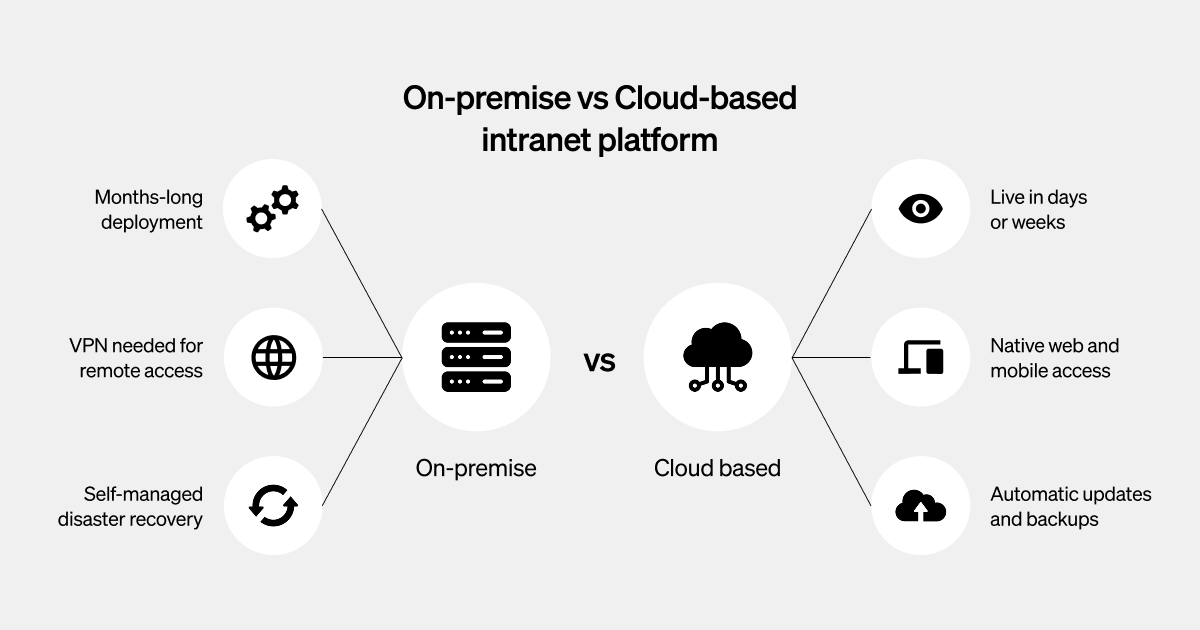
This comparison weighs both models against the criteria that would work for you as an experienced IT manager. While a few situations still favor on-premise, cloud outperforms on-premise across most of these dimensions for the majority of organizations.
| Criteria | On-premise intranet | Cloud-based intranet |
|---|---|---|
| Initial cost | High upfront capital outlay (hardware, licences, setup) | Low; minimal setup fees |
| Ongoing cost | Variable — refresh cycles, licensing, IT labour | Predictable per-user subscription |
| Deployment time | Months | Days to weeks |
| Scalability | Manual; requires new hardware | Grows automatically with employee count |
| Maintenance responsibility | Your IT team | The cloud-based intranet provider |
| Upgrade cycle | Periodic, with downtime and project overhead | Continuous, with no disruption |
| Disaster recovery | Self-built and self-maintained | Automated failover with SLAs |
| Remote access | VPN-dependent | Native web and mobile |
Cost structures and total cost of ownership
With an on-premise intranet, you pay upfront for server hardware, data center space, software licenses, and the IT labor to build it. There are large, irregular budget bills needed to build and maintain the infrastructure. But the costs don’t stop there.
Other costs include:
- Hardware refresh cycles happen every three to five years, forcing repeat capital spend
- Licensing renewals recur annually and climb as your user count grows
- Maintenance staff costs tie up dedicated IT salaries year after year
- Incident response adds unplanned costs whenever something breaks or goes down
Such costs push intranet total cost of ownership higher than the sticker price suggests.
In a cloud-based intranet, there is a predictable per-user subscription. This covers infrastructure, updates, support, and security. Over a three- to five-year horizon, the total cost of ownership (TCO) usually favors the cloud. This is because it avoids the recurring hardware refreshes, licensing renewals, and dedicated maintenance staff that steadily drive up on-premise costs over the same period.
Capital expenditure vs. subscription pricing
On-premise means securing sign-off for big, irregular purchases. Think hardware, facilities, perpetual licenses — plus project-based implementation. These costs are hard to time and even harder to defend when your priorities keep shifting.
Cloud turns that same spend into a steady monthly or annual line item since it runs on a subscription-based pricing model. You also pay for what you use, adjusting spend as headcount changes rather than budgeting for capacity you may not need yet.
Deployment timelines, scalability, and growth readiness
On-premise deployment is a step-wise process that takes months to procure hardware, provisioning, configuration, integration, testing, then a staged rollout.
With cloud, there is no physical setup because compute, storage, networking, and security primitives are delivered as managed services over the internet. You don’t wait for servers to ship, racks to be installed, or data centers to be readied. This removes procurement cycles, facility dependencies, and much of the manual configuration that elongates on‑premise projects. It usually goes live in days or weeks, accelerating time to value.
Scaling an intranet often requires disruptive upgrades and complex rebalancing. On-premise scalability is constrained by fixed hardware, long procurement cycles, and the need to provision for peak loads. This leads to overcapacity most of the time and slow response to surges.
In contrast, the cloud offers serverless and managed data services that scale capacity up or down based on demand. So, you size for average and burst for peaks without buying hardware. Cloud also enables horizontal scaling patterns and global distribution across regions to reduce latency and improve resilience, all governed by policy rather than physical limits.
Maintenance burden, upgrade cadence, and IT resource requirements
On-premise demands dedicated IT capacity — OS and application patching, performance monitoring, backup verification, hardware replacement, and upgrades. Running this in house means hiring and retaining specialized talent for each function.
This adds ongoing salary costs and makes you vulnerable to knowledge gaps whenever a key team member leaves. As the infrastructure ages, the load on it only grows, requiring either more headcount or more hours from the team you already have.
Upgrades are another significant cost factor. On-premise cycles are periodic — bundled into scheduled projects rather than rolled out continuously. Each one carries downtime, regression risk, and project overhead, since your team has to test extensively from scratch to confirm nothing breaks.
Cloud reduces this burden significantly. Because the vendor maintains one continuously tested system across all customers, most validation is already done before an update reaches you. This leaves your team checking only its own configurations and integrations, rather than relearning the platform each cycle.
Cloud vendors manage all of the tasks listed above and ship continuous updates. This frees IT for higher-value work like integration strategy, user experience, and intranet security governance. For lean teams, this flexibility responsibility is often the decisive factor.
Remote access, security posture, and user experience
On-premise remote access usually relies on VPN or private network extensions. This is because the intranet lives inside your private network and there’s no other way to reach it securely from outside the office. This adds friction, variable performance, and extra security hardening for anyone working off-site.
A cloud-based intranet offers the following features:
- Native web and mobile access
- SSO and modern identity integration with multifactor authentication (MFA)
- Conditional access
- A smoother user experience for hybrid and remote employees
Resilience and disaster recovery considerations
On-premise disaster recovery (DR) is something you build. It typically means a secondary site, replicated infrastructure, tested runbooks, and constant operational diligence. These factors add to the cost and complexity.
With cloud providers, automated failover and defined SLAs come standard. While the specifics vary by vendor, the baseline DR posture is stronger out of the box and far less labor-intensive to maintain.
Moreover, cloud based intranets allow businesses to monitor intranet key performance indicators (KPIs) such as network latency, bandwidth utilization, and server response times. Businesses can make informed choices in optimizing their intranet performance.
When to choose an on-premise intranet
On-premise isn’t always the wrong answer. A few well-defined scenarios still make it the right one.
Classified environments and high-security sectors
Defense, intelligence, and adjacent sectors often require air-gapped, physically isolated systems with no internet connection at all. Though this applies specifically to classified material, it doesn’t apply to all unclassified content.
Regulatory mandates requiring physical data control
Certain frameworks mandate direct physical control over specific data categories, making on-premise a requirement rather than a preference. This is worth confirming with legal and compliance before it drives your architecture.
Existing infrastructure with substantial remaining life
If recently purchased hardware still has years of useful life and meets your needs, replacing it early rarely makes financial sense. Align the on-premise to cloud migration with your next refresh cycle instead.
Extreme localization, latency, or OT constraints
Sites with unreliable connectivity, industrial or OT networks, or strict locality requirements benefit from the deterministic performance and guaranteed uptime that on-site hosting delivers.
Highly bespoke controls and integrations bound to on-premise systems
Niche compliance tooling, proprietary integrations, or hardware dependencies that are genuinely hard to replicate in the cloud can justify staying put, provided there is real dependency.
When to choose a cloud-based intranet
For most organizations, a cloud-based intranet is now the default choice. It is faster to launch, cheaper to run, and easier to keep current. It suits distributed teams and improves continuously.
The following are the top reasons that make cloud-based intranet the default choice. Be sure to validate any platform against your security, compliance, and integration needs.
Rapid deployment and faster time to value
With no server to procure, install, or configure, provisioning takes days or weeks — shortening a multimonth on-premise timeline and getting value to employees sooner.
Predictable operational expense and budget flexibility
Cloud converts large capital outlays into a predictable per-user subscription that scales linearly with headcount, avoiding surprise hardware failures or periodic CapEx spikes.
Scalability for growth, seasonality, and M&A
Adding users is a configuration change, not a procurement cycle. Capacity is expandable, so growth, seasonal swings, and new offices don’t trigger hardware planning. This matters most during mergers and acquisitions, where onboarding an acquired workforce happens smoothly, without the delays on-premise scaling typically introduces.
Lean IT teams and refocusing on higher-value work
With the vendor handling maintenance, patching, and infrastructure upkeep, a system that once needed dedicated specialists can be run by a fraction of that team. This frees IT to focus on integration strategy, user experience, and security governance.
Strong baseline security and compliance features
Leading vendors carry SOC 2 and ISO 27001 certifications, hold industry-specific attestations like HIPAA or GDPR, apply security patches continuously, and monitor infrastructure around the clock. This is done with SSO, MFA, and conditional access built in as standard rather than something your team assembles.
Distributed and remote workforce enablement
Since cloud-based platforms can be reached from any browser or mobile device with no VPN required, hybrid, remote, and frontline employees have the same native, uniform experience as those in an office.

Choosing a cloud-based intranet for your organization
Across nearly every criterion, a cloud-based intranet comes out ahead for most organizations. And the old objections — that cloud can’t be secure or compliant enough — no longer hold for mainstream enterprise intranet use.
Cloud reduces the total cost, lightens the IT burden, provides a modern security posture with built-in certifications, and deploys in weeks. On-premise still makes sense, but only in the specific, well-defined scenarios such as classified environment usage and extreme localization.
The right cloud intranet reduces IT complexity; it doesn’t add to it. The wrong one trades server maintenance for a new set of dependencies — custom development, brittle integrations, and features that quietly fall behind. Cloud-based intranet platforms like Simpplr are purpose-built to meet these criteria while delivering the employee experience capabilities modern organizations require.
How Simpplr’s cloud-intranet platform can help
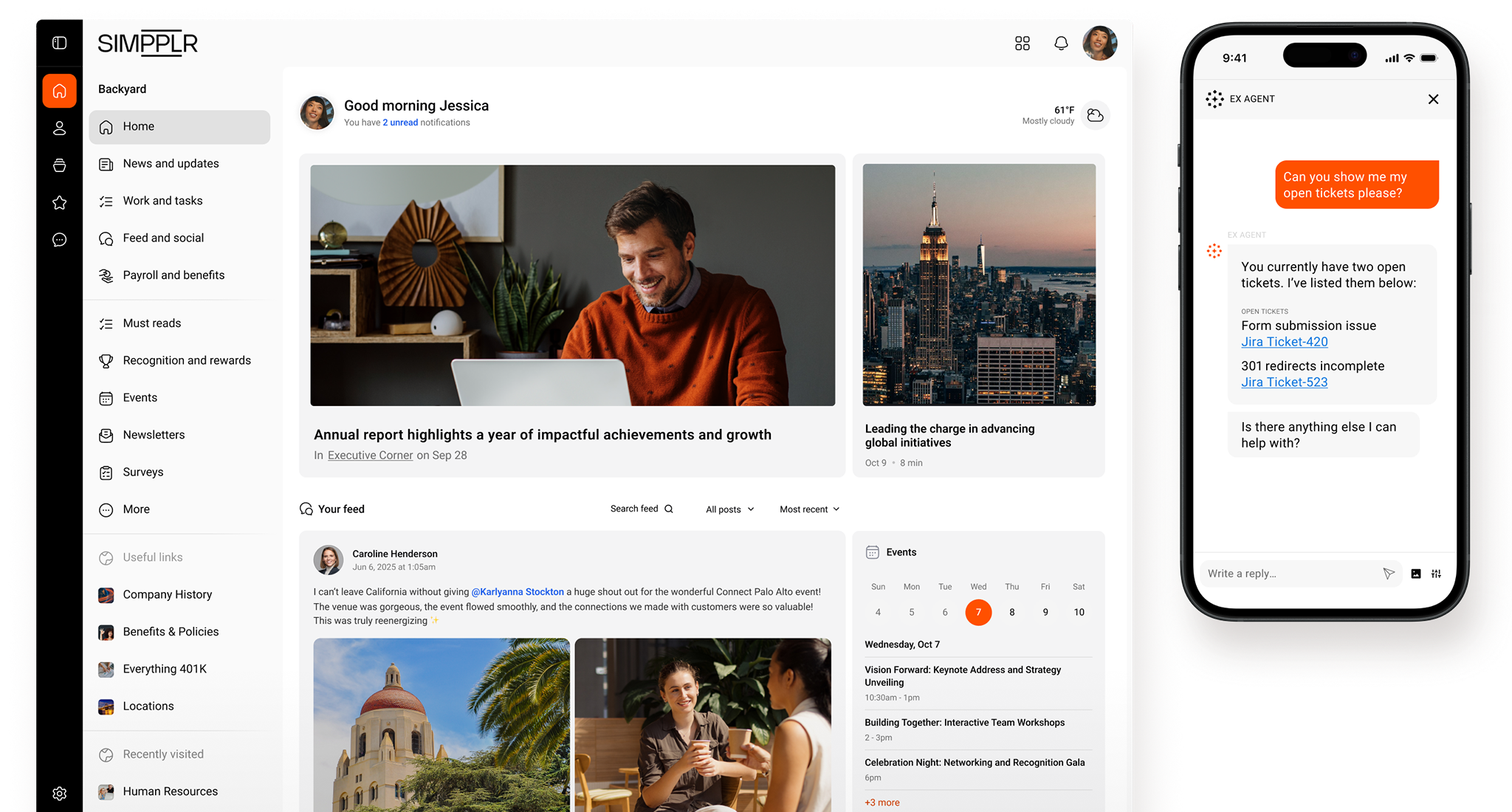
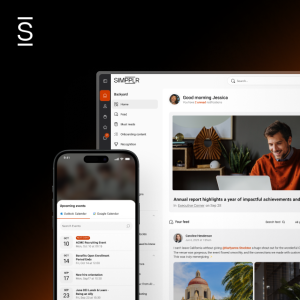
Simpplr is a purpose-built, AI-powered cloud-based intranet for the enterprise. It brings communication, engagement, knowledge, and workflows into one experience — designed for how modern, distributed workforces get work done.
Fully managed infrastructure with zero maintenance burden
For IT managers leaving on-premise behind, Simpplr answers the concerns that make the move feel risky. The platform is fully managed, so infrastructure maintenance, patching, and upgrade projects simply disappear from your team’s workload.
Enterprise-grade security and data governance
Security is handled the same way. Simpplr is SOC 2 Type II certified and GDPR-compliant, with built-in enterprise-grade protection — plus configurable data governance controls that keep you in charge of how information is managed.
Native integrations with your existing systems
Simpplr integrates with 200+ out-of-the-box tools like Microsoft 365, Google Workspace, and leading HRIS platforms. Your intranet plugs into existing systems without the custom development and on-premise setup demands.
AI-powered personalization and enterprise search
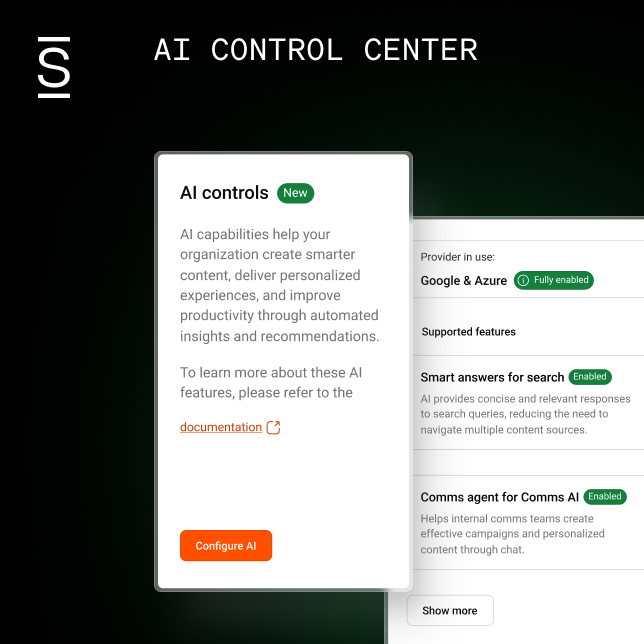
Simpplr’s differentiation is intelligence. AI-powered personalization and enterprise search deliver measurable gains in engagement and content findability — outcomes on-premise platforms rarely match without significant custom work. The result is a smaller infrastructure footprint and a better experience for everyone who uses it.
Ready to see how Simpplr can reduce your infrastructure overhead while improving employee experience? Request a customized demo today.
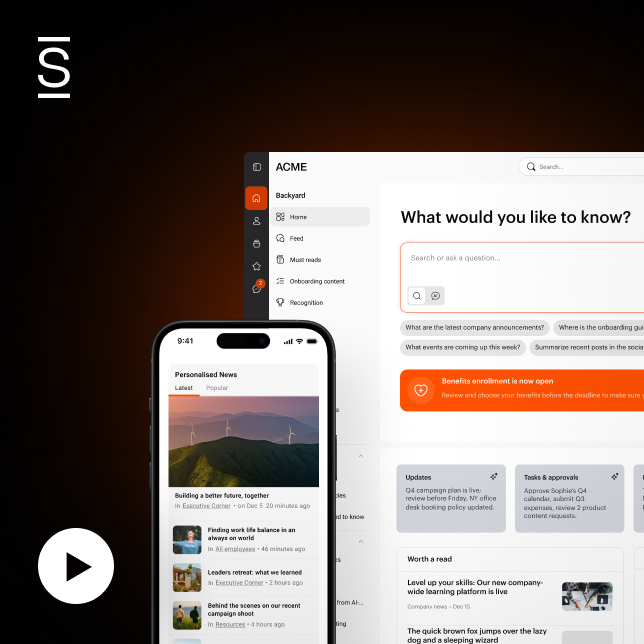
Watch a 5-minute demo
See how the Simpplr employee experience platform connects, engages and empowers your workforce.
- #1 Leader in the Gartner Magic Quadrant™
- 90%+ Employee adoption rate



![[Webinar Recap] Supporting organizational hypergrowth with a powerful intranet](https://www.simpplr.com/wp-content/uploads/2020/11/simpplr-blog-Webinar-Recap-Supporting-organizational-hypergrowth-with-a-powerful-intranet.png)