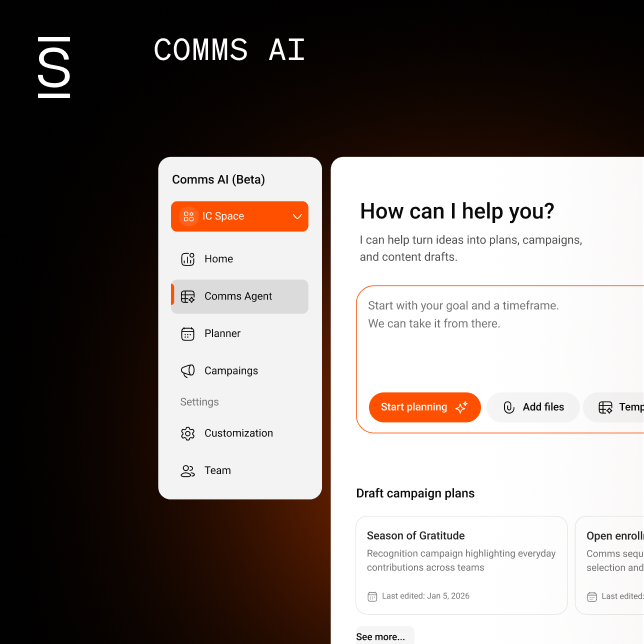




Many internal communicators began their AI journey with ChatGPT or Microsoft Copilot, using them for basic tasks: document summaries, email drafts, headline variations. Useful, but limited. Each conversation starts fresh. Every prompt requires providing context all over again. Nothing builds on what came before.
The internal communicator’s path to becoming a gen AI power user
The internal communicator’s path to becoming a gen AI power user
Table of contents
- 1 What Projects are and why IC needs them
- 2 How to build your knowledge hub
- 3 How to work with your knowledge hub
- 4 Real-world applications of Projects
- 5 Maintaining content quality at scale
- 6 Maintaining and updating your Project
- 7 The limits of gen AI Projects
- 8 Step into AI power user status with Comms AI
Gen AI power users moved beyond that. They know the best results require Projects — workspaces in Claude and ChatGPT where you upload key documents and set the standards for a particular initiative. This maintains continuity without having to provide information and context in each new chat thread.
OpenAI’s enterprise research shows that advanced users send 6x more messages than median employees, and 75% report that AI improved either speed or quality of output.
Gen AI power users gain more capacity for strategy, stakeholder relationships, and storytelling that builds trust. The shift happens when IC professionals stop using AI as a query tool and start using Projects to build persistent knowledge systems. Here’s what that process looks like.
What Projects are and why IC needs them
Projects are digital workspaces where you upload key documents, set organizational context, and establish communication standards. The AI maintains that knowledge throughout each chat thread within that particular Project.
When your crisis communications template, leadership voice guidelines, and audience personas live inside a Project, the AI references them automatically. This greatly improves your efficiency in crafting plans and drafting related content.
Both Claude and ChatGPT use the term “Projects” for this capability. Other platforms offer variations: Microsoft Copilot integrates with your Microsoft 365 environment, Google Gemini works through Workspace, and Perplexity offers Collections for research.
Though several platforms offer some form of persistence, Claude and ChatGPT currently provide the clearest, most flexible model for Project-based work.
When to build a Project in Claude vs. ChatGPT
Projects work differently depending on the platform. Claude Projects act as document-centric knowledge hubs where uploaded files become primary reference material.
ChatGPT Projects work more through conversation and instruction. Files support the work, but structure, logic, and direction come primarily from how you guide the interaction. That difference shapes which kinds of communication work each tool supports best.
Build in Claude when:
- You’re designing a communication plan that needs to hold together over time
- You’re working with substantial background material that must remain in view
- You’re pressure-testing scenarios, audiences, or messaging approaches
- You want drafts that closely reflect an existing voice, tone, and style
Build in ChatGPT when:
- You need speed and are willing to steer the work actively through prompts
- You want the conversation itself to be the primary organizing structure
- You’re iterating quickly on campaign concepts and need rapid variations
- You’re treating the Project as a working space rather than a knowledge base
In practice, many internal communicators use both tools. They choose the workspace that best fits the shape of the work at hand. What matters most isn’t the tool itself but how deliberately you work with it.
The rest of this guide focuses on Claude Projects because the document-centric design makes them particularly well-suited for building persistent knowledge hubs. The principles apply broadly, but the specific workflows and examples demonstrate Claude’s approach.

How to build your knowledge hub
AI becomes significantly more accurate and culturally aligned when you build a centralized knowledge hub — a single reference point that informs every draft and suggestion across all chats within a Project.
What to upload to your project
The more comprehensive your knowledge base, the more sophisticated your AI outputs become. Consider uploading these documents to your Project so Claude has a strong foundation to support your work.
Brand and voice standards
Brand guidelines, tone of voice documentation, and style guides. Include approved messaging frameworks for ongoing initiatives. Provide examples that show how you communicate on good days, tough days, and crisis days. If your company always leads with employee impact before business rationale, document that pattern so Claude applies it consistently.
Leadership communication preferences
Speeches, emails, and town hall transcripts with Q&A sessions for each executive. Document the specific phrases each leader uses versus those they avoid, how they structure arguments, and the examples they favor. For instance, if your CEO uses “team members” rather than “employees,” tells stories over citing statistics, and follows a problem-solution-action structure, Claude learns to match that voice.
Organizational structure and personas
Org charts, role descriptions, and employee segment profiles. Include distinctions between frontline and corporate employees, global nuances, and tenure differences. If frontline employees consistently ask about shift coverage during changes, document that concern.
Historical context and sensitive themes
Past restructuring, cultural tensions, known anxieties, and commitments made by leadership. This context prevents AI from accidentally contradicting previous messages or minimizing legitimate employee concerns.
Message frameworks and templates
Standard structures for announcements, crisis updates, and policy changes. Communication templates, past incident responses, stakeholder maps, and FAQ structures — anything you reuse regularly should live in your Project.
Performance intelligence
Past campaigns with notes on what worked and what didn’t. Include engagement data and employee feedback. For example: “Short video explanations drove three times more completions than PDF guides for hourly workers during benefits enrollment.” This teaches AI what resonates with your specific audiences.
Approved messaging from HR, Legal, and leadership
Preapproved policy language, legal disclaimers, and standard explanations for complex topics. AI can reuse language that has already been vetted, avoiding rework and ensuring compliance.
With your knowledge hub established, the next step is learning to work conversationally with AI to activate that knowledge across different communication challenges.
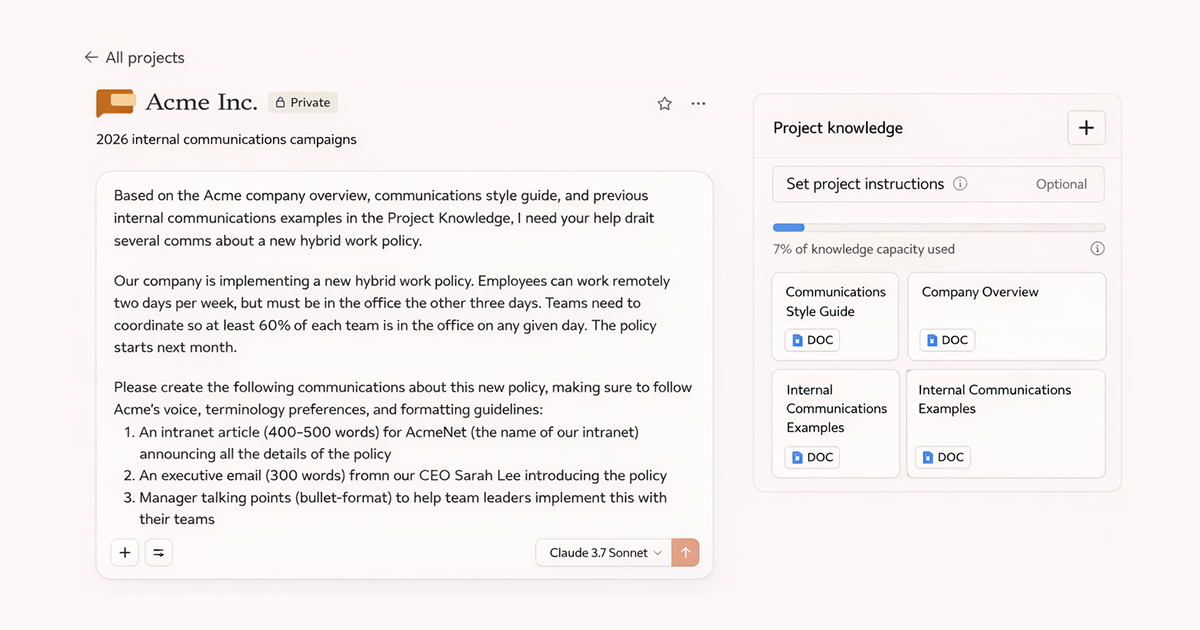
How to work with your knowledge hub
Once your knowledge hub is built, the work shifts to how you actually use it. Projects become most valuable when you approach them as collaborative workspaces, not one-time query tools.
Work iteratively rather than single prompts
Projects work through accumulating context across multiple prompts in a conversation. You don’t try to get everything right in one request. Start broad: Ask Claude to build a framework or map out the challenge. Be specific about what you need and which uploaded materials to reference: “Build a stakeholder map for the office consolidation using the org chart and business rationale doc.”
Review what it produces, then refine through follow-up prompts: add nuance it missed, correct assumptions, point it toward what matters most. Each prompt builds on the last because the Project remembers the full conversation. This iterative approach lets you think strategically with AI rather than just extracting deliverables from it.
Refine content through conversation
Content drafts work the same way — through iteration, not perfection on the first try. Don’t expect final copy. Ask for a first draft, then refine through conversation. “This tone is too formal for our culture. Make it more conversational.” “Cut this article by 500 words and lead with how this will positively impact employees.” “The CEO wouldn’t use that phrase — check the voice profile and try again.”
Each refinement teaches Claude more about what works for your organization. Over time, first drafts get closer to what you need because the Project has learned your standards.
Common mistakes that waste time:
- Being too vague in your strategy or content request
- Providing no constraints on audience, length, or tone
- Using first outputs rather than iterating in collaboration
- Not explicitly referencing the materials you’ve uploaded
Many experienced users end their prompts with “Ask me questions before we get started.” This prompt engineering technique produces outputs that address your specific needs rather than defaulting to generic responses.
For example, when drafting crisis communications, the AI might ask: “What’s the likely employee reaction?” “Are there legal constraints?” “How does this connect to previous incidents?” This dialogue produces sharper, more useful first drafts.
Real-world applications of Projects
The following examples show how internal communicators can use Projects to handle common strategic challenges.
Planning crisis response scenarios
Keep a crisis response Project stocked with past incident responses, stakeholder maps, and templates. When a product delay hits, upload the situation brief and spend 20 minutes pressure-testing messaging: What will engineering misinterpret? What questions will sales ask? How does this contradict what we said during the last delay? The final messaging addresses actual employee concerns, not just compliance checkboxes.
Building change communication frameworks
A major restructuring needs careful sequencing and stakeholder-specific messaging. Upload the business rationale, org charts, and past change initiatives. Work with Claude to map out the communication cascade: who needs to know what, when, and through which channels. The Project helps you spot gaps — like frontline managers learning about changes at the same time as their teams — before they become problems.
Crafting campaigns with institutional knowledge
After every product launch, document what worked in your Project: “Engineering downloaded the technical white paper at 78%. Sales ignored it but watched the two-minute video. Corporate preferred the FAQ.” When you go on leave or a new teammate joins, they inherit actual intelligence instead of guessing or starting from scratch.
Maintaining content quality at scale
Projects enable speed and consistency. But speed without quality control creates a different problem: content that looks professional but lacks substance.
An announcement that sounds professional but doesn’t reflect how your CEO talks. A crisis plan with perfect structure but generic scenarios. A change management email that doesn’t address real employee concerns.
40% of desk workers received workslop in the past month, costing two hours on average to resolve per incident. That’s $186 monthly per employee or $9M annually for a 10,000-person company (BetterUp).
Build quality control into your workflow:
- Define success before prompting. Know what specific employee action or understanding this communication should create
- Validate against outcomes, not polish. Confirm the message drives needed behavior rather than just looking professional
- Verify all factual claims. AI will confidently reference programs, dates, and initiatives that don’t exist at your company
- Track performance and refine. Feed engagement insights back into your Project to improve future outputs
Quality control prevents immediate failures. Long-term success requires treating your Project as a living system that improves over time.
Maintaining and updating your Project
Building a Project isn’t a one-time setup. Power users update them for relevance and refine them based on what works and what doesn’t.
Archive outdated materials or label them as historical reference. If your 2025 messaging framework no longer reflects current strategy, it creates confusion.
After every campaign, document what worked: “This headline format drove 40% higher engagement.” Results become actionable intelligence for future work.
As you spot patterns in what Claude gets wrong — too formal, misses your company’s communication style, overexplains technical concepts — refine your custom instructions. And if you uploaded 50 documents but only reference 10, streamline. Bloated Projects become less useful.
Well-maintained Projects get smarter over time. But maintenance can’t fix their structural limitations.
The limits of gen AI Projects
Power users of gen AI for internal communications are creating repeatable, high-quality workflows that strengthen trust, improve clarity, and increase their strategic value to the business. But Projects have structural limitations that become apparent as teams scale their AI adoption.
The key limitations include:
- No collaboration spaces. Claude Projects can’t be shared. Every communicator builds their own knowledge hub, re-creating the same foundational documents and learning the same lessons in isolation.
- No publishing infrastructure. After refining content, you still need to copy it into email, Slack, your intranet, or whatever channels reach employees.
- No governance or compliance layer. There’s no approval workflow, legal review checkpoint, or way to ensure AI-assisted content meets organizational standards before it reaches employees.
- No measurement or analytics. You can’t track what resonates, what gets ignored, or how employees actually engage with AI-assisted communications.
- No organizational memory. Projects capture individual knowledge, but they don’t build institutional knowledge that persists across team changes.
As AI adoption accelerates, the real challenge for internal communications teams is operationalizing AI into their daily workflow.
This is where Simpplr’s Comms AI comes in.
Step into AI power user status with Comms AI
You’ve developed strong Projects workflows. You’re drafting faster, thinking more strategically, building frameworks that make your work better. But the operational reality hasn’t changed: After you finish the draft, you’re still building timelines, chasing approvals, managing version control, and reformatting content for multiple channels.
Projects help with thinking and drafting. But the coordination burden remains.
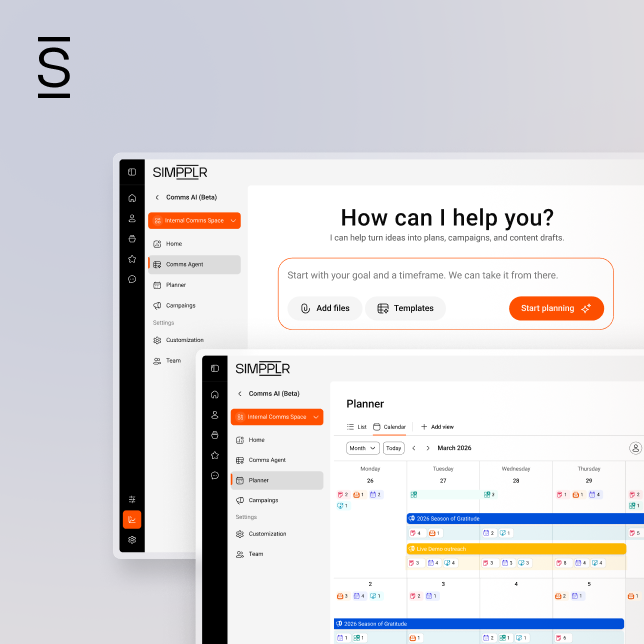
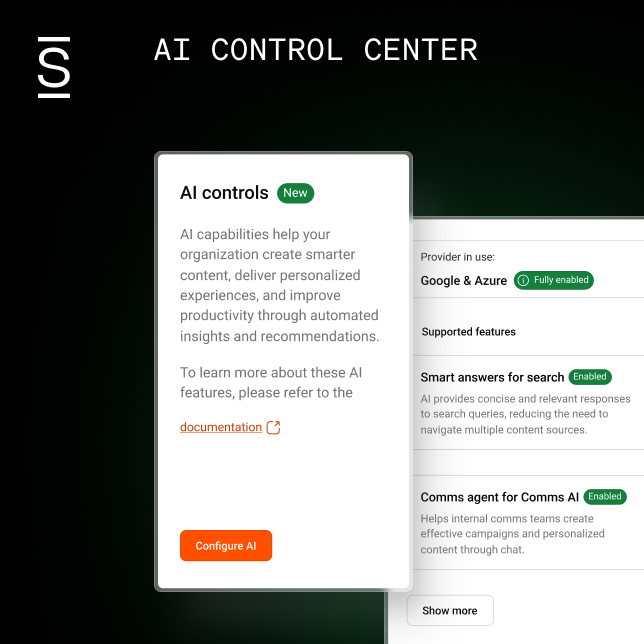
Comms AI drafts content, refines messaging, and adapts tone — but it goes further by handling the operational layer that’s always slowed down internal comms work. Because it’s built into Simpplr’s employee experience platform, the intelligence carries through planning, approvals, and multichannel delivery in one connected workspace.
Plan: Campaign structure without spreadsheets
Describe what you need to communicate or choose from existing templates. Comms AI structures the campaign — audiences, channels, timeline — and shows it alongside everything already scheduled so you can spot conflicts early.
Craft: Content adapted to context
The workspace knows whether you’re communicating a policy update or a culture moment. It adapts between a detailed intranet article and a brief Slack message. You can create voice profiles for different senders. The strategic decisions — does this framing work, should the tone be direct or gentler — still require your judgment.
Coordinate: Centralized approvals
When the CHRO requests changes, Legal verifies policy language, and the CEO wants final review, everyone works from the same version. You see what’s waiting on review, what’s approved, and what’s ready to schedule.
Publish: Multichannel delivery from one source
Schedule once in Comms AI. The intranet post publishes with proper formatting, email sends to the correct segments, and Slack or Teams messages go out appropriately timed. No reformatting the same content multiple times.
Because Comms AI lives within Simpplr, voice profiles and performance insights become team assets rather than individual expertise. Your organizational data stays private and secure. Governance works according to your company’s requirements.
Discover how Comms AI takes gen AI for internal communicators from individual drafting to full campaign delivery. Request a demotoday.
Watch a 5-minute demo
See how the Simpplr employee experience platform connects, engages and empowers your workforce.
- #1 Leader in the Gartner Magic Quadrant™
- 90%+ Employee adoption rate