




In 2012, your on-premise intranet lived behind a VPN, went dark during patch nights, and groaned under peak loads after all-hands emails. Jump to today: the perimeter is identity, search is instant, and updates land without a maintenance window. This guide is your bridge between those two realities.

On-premise to cloud intranet migration guide for IT managers
On-premise to cloud intranet migration guide for IT managers
Table of contents
- 1 What is a cloud intranet and why migrate
- 2 Types of cloud migration
- 3 Step-wise on-premise to cloud intranet migration process
- 4 On-premise to cloud intranet migration challenges and best practices
- 5 How can an intranet vendor support your cloud migration
- 6 Securely migrate to the cloud intranet today
- 7 How Simpplr helps with your on-premise to cloud intranet migration
We will time-hop through the key decisions IT leaders face right now: what to retire, what to refactor, and when to replace on-premise with a cloud intranet. Along the way, we will factor in hybrid work, zero-trust requirements, modern search, and the deprecation clocks quietly ticking on your legacy stack.
This guide covers why a cloud intranet outperforms on-premise for resilience, security, and scale. We’ll also go over the main migration paths; a step-by-step plan from discovery to cutover; battle-tested best practices; and the real challenges you will hit — and how to navigate them.

What is a cloud intranet and why migrate
A cloud-based intranet is a digital workplace platform hosted and maintained by a vendor rather than run on internal servers. Instead of your IT team managing everything from securing hardware, software patches, to ensuring steady uptime; the vendor handles the infrastructure while your team manages content, permissions, and configuration.
An on-premise to cloud intranet migration makes sense because every hour spent patching servers or troubleshooting outdated permissions is an hour not spent on the work that improves the employee experience. Moving to the cloud shifts that maintenance burden to the vendor, freeing IT to focus on adoption instead of upkeep. Let’s understand some more reasons that are prompting organizations to make the shift.
Why are organizations moving away from on-premise intranet
Organizations are shifting away from on-premise intranet because the total cost of ownership keeps rising while the return keeps shrinking. Every hardware refresh, every renewal, and every patch cycle adds expense without adding capability. The below five patterns explain why IT teams are reaching that conclusion earlier than they used to.
- Infrastructure and licensing costs climb every renewal cycle, regardless of usage.
- Scaling to a new office or acquisition means buying and provisioning more hardware.
- Remote workers and mobile employees get a clunky experience built for desks, not phones.
- Security patches pile up faster than a lean IT team can apply them.
- Modern features like AI search and native integrations rarely fit into an architecture built before either existed.
Types of cloud migration
The right on-premise to cloud intranet migration approach depends on your timeline, risk tolerance, and how much of your current information architecture is actually worth keeping. Before you build a migration plan, you need to know which of these four paths fits your situation.
| Migration Type | Approach | Speed | Best For |
|---|---|---|---|
| Rehosting / Lift-and-shift | Moves content as-is, minimal changes | Fastest | Tight budget/downtime constraints |
| Replatforming | Moderate improvements (nav, permissions cleanup) | Moderate | Balance of speed and quality |
| Rebuilding / Re-architecting | Redesigned architecture and taxonomy from scratch | Slowest | Best long-term experience |
| Hybrid | Core functions to cloud, some systems stay on-prem | Phased | Large/regulated orgs, complex compliance |
Let us understand each cloud migration type in-depth below.
1. Rehosting or lift-and-shift migration
2. Replatforming migration
Replatforming makes moderate improvements during the move instead of replicating everything as-is, such as restructuring site navigation and cleaning up outdated permission. It takes longer than a straight lift-and-shift, but it balances speed against a meaningfully better end state.
3. Rebuilding or re-architecting migration
Rebuilding starts over with a redesigned information architecture and taxonomy rather than porting over what already exists. It’s the slowest option and demands the most planning upfront, since permissions, content structure, and governance models get built fresh instead of translated. Organizations that choose this route are typically optimizing for the best long-term experience, not the fastest cutover.
4. Hybrid migration approach
A hybrid migration moves core intranet functions to the cloud while select systems stay on-premise temporarily. This is common for large or heavily regulated organizations that can’t shift everything at once, whether due to compliance requirements, integration complexity, or sheer content volume. It reduces risk by giving IT room to validate each phase before moving to the next.
Step-wise on-premise to cloud intranet migration process
Now that you understand the cloud migration types and have reviewed the on-premise to cloud intranet comparison it is time to start the migration process. Before migrating, you must define your pre-migration assessment, risk-sequenced planning, and a disruption-free cutover strategy. Here’s how.
1. Assessing readiness for cloud migration
Before any migration begins, IT teams need an honest inventory of what exists today and what condition it’s in. Skipping this step is the single biggest reason migrations run over budget or timeline, since problems surface mid-transfer instead of before it starts.
1.1 Auditing existing content and infrastructure
A proper audit gives you a factual baseline instead of a guess about what you’re migrating. Cover these five areas before building any plan.
- Catalog total content volume across every site, page, and file repository.
- Flag duplicate, outdated, or ownerless pages for retirement instead of migration.
- Map current permissions exactly as they exist today, not as originally designed.
- List every identity provider your intranet currently authenticates against.
- Document dependencies on connected file storage and enterprise systems.
1.2 Defining success criteria and stakeholders
Success criteria set the target everyone is migrating toward, not just the deadline they’re migrating by. Align stakeholders around these five points early.
- Bring IT, communications, HR, and security into the planning process together.
- Agree on an acceptable downtime window before scheduling any technical work.
- Set a target for post-migration search accuracy that you can measure.
- Define an adoption rate goal for the first 90 days after launch.
- Establish an infrastructure cost savings target tied to the business case.
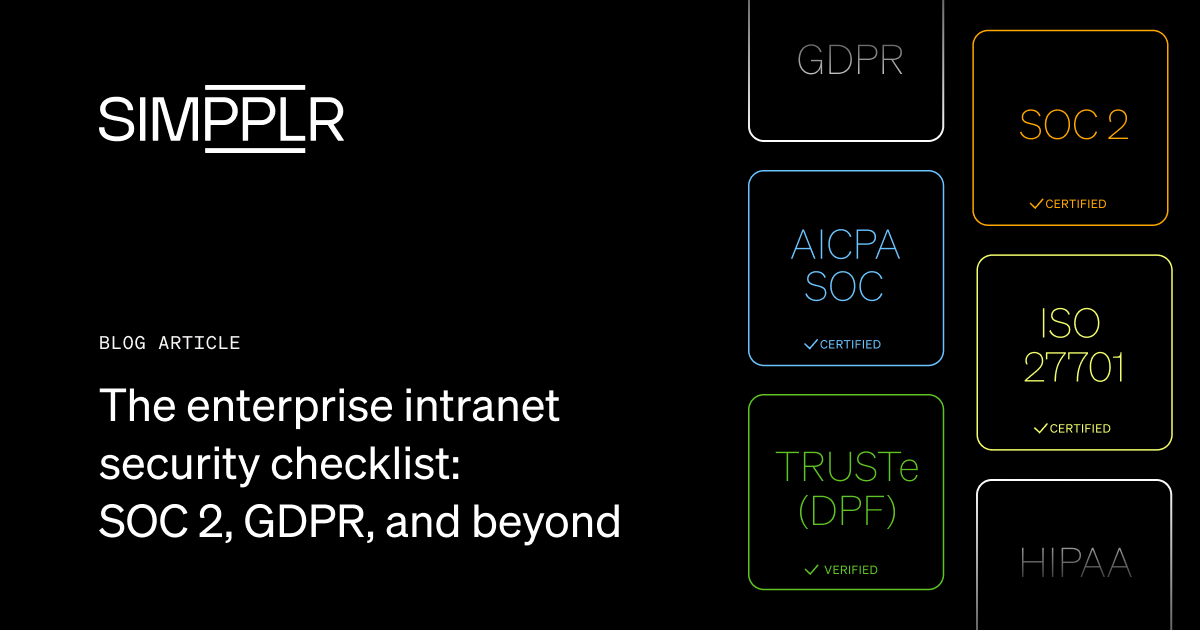
1.3 Evaluating security and compliance requirements
You must finalize the security requirements before the on-premise to cloud intranet migration starts. Retrofitting compliance after content has moved costs far more than building it in from day one, such as failing to verify data residency requirements. This can force an expensive and disruptive re-migration later.
- Verify where the vendor stores data and whether it matches your residency requirements.
- Confirm encryption standards for data both in transit and at rest.
- Check SOC 2 compliance if your organization requires third-party audit assurance.
- Confirm ISO 27001 alignment for information security management practices.
- Validate HIPAA support if your organization handles regulated health information.
2. Building a migration plan and timeline
With readiness established, the next task is sequencing based on a core mantra. If you focus only on the computer/IT side of moving systems and forget about how it affects your actual employee performance and daily operations, your project is likely to fail.
2.1 Choosing an intranet migration approach
Match your migration approach to your audit’s findings—such as choosing rehosting for speed or rebuilding for structural improvement. Then weigh these five factors before committing to one path.
- Choose lift-and-shift if your content is clean and your timeline is tight.
- Choose phased migration by department if disruption tolerance is low.
- Choose full re-platforming if the audit revealed structural problems worth fixing.
- Weigh speed against long-term content quality before finalizing the approach.
- Confirm the chosen approach matches your team’s available bandwidth.
2.2 Mapping permissions and governance models
Permissions rarely translate one-to-one between systems, so this step needs deliberate mapping rather than a direct copy. Address these five areas during the transition.
- Translate existing access control lists into an attribute-based permission model.
- Audit current access levels against what each role actually needs today.
- Avoid over-provisioning access just to speed up the migration timeline.
- Assign clear ownership for who approves permission changes going forward.
- Document the new governance model before content moves, not after.
2.3 Setting realistic timelines and milestones
A realistic timeline protects the migration from both rushed execution and indefinite delay. Scope your plan around these five checkpoints.
- Base your timeline on total content volume, not a fixed calendar assumption.
- Account for integration complexity when scoping each migration phase.
- Build in dedicated time for change management, not just technical cutover.
- Set a testing checkpoint before any phase is marked complete.
- Require stakeholder sign-off at each milestone before moving forward.
2.4 Select a cloud intranet migration vendor
Vendor selection at this stage determines how much of the execution burden falls on your internal team. Evaluate every vendor against these five criteria.
- Confirm the vendor holds relevant security certifications for your industry.
- Check integration support for your existing identity and collaboration tools.
- Ask what migration assistance is included versus billed separately.
- Request references from organizations of similar size and complexity.
- Clarify ownership of data mapping and cleanup work during the contract.
3. Executing the migration and minimizing disruption
Regardless of how well the plan is built, execution is where most migration risks materialize. You must understand the technical and communication work needed to move content and users without interrupting daily operations. Here’s how.
3.1 Migrating content, metadata, and search indexes
Metadata and search are where on-premise to cloud intranet migrations break even when content transfers successfully. Protect both by covering these five steps.
- Preserve metadata integrity throughout the entire content transfer process.
- Rebuild search indexes in the new environment rather than assuming carryover.
- Validate that semantic search returns accurate results after the index rebuild.
- Spot-check high-traffic pages first, since errors there affect the most people.
- Confirm tagging and taxonomy carried over without silent data loss.
3.2 Managing change and driving adoption
If employees aren’t using the new system, it’s rarely a technical issue. It’s usually because they haven’t been clearly told how or why to use it. Build your change plan around these five actions.
- Launch a communication plan that runs before, during, and after cutover.
- Pair every announcement with a short, accessible training resource.
- Use mandatory-read announcements only for the most critical changes.
- Identify champions in each department to model early adoption.
- Share a clear timeline so employees know what changes and when.
3.3 Testing before full cutover
Testing catches the failures that a plan alone can’t predict. Run every migration through these five checks before going live.
- Pilot the migration with a small group before a company-wide rollout.
- Run the old and new environments in parallel where possible.
- Validate single sign-on before any user-facing announcement goes out.
- Confirm every connected integration behaves as expected under the new system.
- Complete user acceptance testing before scheduling the final data transfer.
3.4 Launch, train, and monitor cloud intranet adoption
Go-live is the start of adoption, not the end of the project. Cover these five actions in the weeks immediately following launch.
- Send a clear go-live communication that explains what’s changed and why.
- Run structured training sessions instead of relying on a single email.
- Monitor usage analytics daily during the first two weeks post-launch.
- Collect employee feedback through a short survey shortly after cutover.
- Address adoption gaps immediately, before they become permanent habits.
On-premise to cloud intranet migration challenges and best practices
Migrations rarely go as per the exact plan, no matter how thorough the readiness work was. Here are the obstacles that surface most often and practices that prevent it from becoming a real problem.
1. Data security and compliance risks
Content is most exposed while it’s in transit, not once it’s settled in the new environment. If you fail to properly lock (encrypt) your data or don’t verify the new provider’s security standards, your information becomes vulnerable while it’s moving, even if it was safe before the transfer started.
How to reduce security risks
- Always use secure transfer protocols, such as SFTP or TLS/HTTPS, for every content migration to ensure data remains protected in transit.
- Verify the vendor’s compliance certifications before transfer begins, not after the contract is signed.
- Run access audits both before and after migration to confirm nothing was exposed or over-provisioned.
2. Downtime and business disruption
Even well-planned migrations disrupt daily operations if they are scheduled during peak work hours rather than low-activity periods. The risk, along with the outage, is the lost trust that follows when employees can’t reach the intranet during a workday.
How to solve downtime disruptions
- Schedule phased migrations during genuinely low-activity periods, not just off-hours on paper.
- Keep a tested rollback plan ready for every phase of the migration.
- Communicate any expected downtime window to employees well in advance.
3. Content and permission mismatches
Old access rules were designed for your previous system, so they often don’t fit or work correctly when you move to a new platform. Migrating them as-is tends to either lock people out of content they need or leave access wider than it should be.
The fix for mismatch
- Audit and simplify access groups before migration, not after issues surface.
- Rebuild the permission model around current roles instead of copying old ones directly.
- Test access for a representative sample of users before extending it company-wide.
4. Low employee adoption post-migration
A technically successful migration can still fail if employees still revert to email threads, shared drives, or whatever workaround got them through the transition. Adoption doesn’t happen automatically just because the old system was retired. It requires active, sustained effort to guide employees away from old habits and toward the new platform.
How to improve employee engagement
- Start change management before go-live, not the week after.
- Pair the launch with real training, not a single announcement email.
- Enlist leadership to actively advocate for the new platform from day one.
How can an intranet vendor support your cloud migration
Your team might not have a dedicated intranet migration specialist on staff, and that is okay. The right vendor, however, can take on the technical, security, and adoption work that your lean internal team might not reasonably absorb alone. Here’s what we mean.
1. Migration planning and technical assistance
A vendor’s migration specialists have run this process dozens of times before; your team is likely running it once. That experience shows up in fewer errors and a faster timeline than an internal team working it out from scratch.
How this works:
- Dedicated migration specialists guide the process from planning through cutover.
- Pre-built connectors reduce manual work for common identity and storage integrations.
- Data mapping tools catch permission and metadata errors before they reach production.
2. Security and compliance support
Compliance validation is one of the most time-consuming parts of any on-premise to cloud intranet migration because it requires meticulous verification of data residency, encryption standards, and regulatory certifications. This is done to avoid costly, disruptive re-work later. A vendor with strong certifications carries much of that burden for you.
How this works:
- Established certifications reduce the compliance verification work your team has to do.
- Built-in governance frameworks enforce access controls without manual configuration.
- Ongoing compliance monitoring continues after go-live, not just during the transfer.
3. Post-migration training and adoption support
Adoption doesn’t end at go-live, and most internal teams don’t have the bandwidth to run structured training on top of the migration itself. Vendor-provided support fills that specific gap.
How this works:
- Onboarding resources give employees a guided path into the new environment.
- Admin training equips your team to manage the platform without vendor dependency.
- Analytics dashboards track adoption gaps so you can act on them early.
Securely migrate to the cloud intranet today
Security demands aren’t slowing down, and neither is the shift to remote and hybrid work. An on-premise intranet built for a single office and a smaller threat landscape wasn’t designed for either. Every year it stays in place, the gap between what it can support and what your workforce actually needs grows wider.
AI-powered search, cross-platform accessibility, and governance that scales across a distributed team aren’t features you can bolt onto legacy infrastructure. They require an environment built for them from the start. That’s what makes on-premise to cloud intranet migration a strategic imperative rather than an optional upgrade you can revisit next year.
The organizations that treat migration as inevitable, and plan for it accordingly, are the ones that make the move on their own timeline. The ones that wait end up migrating under pressure, with less room to get governance, security, and adoption right the first time.
How Simpplr helps with your on-premise to cloud intranet migration
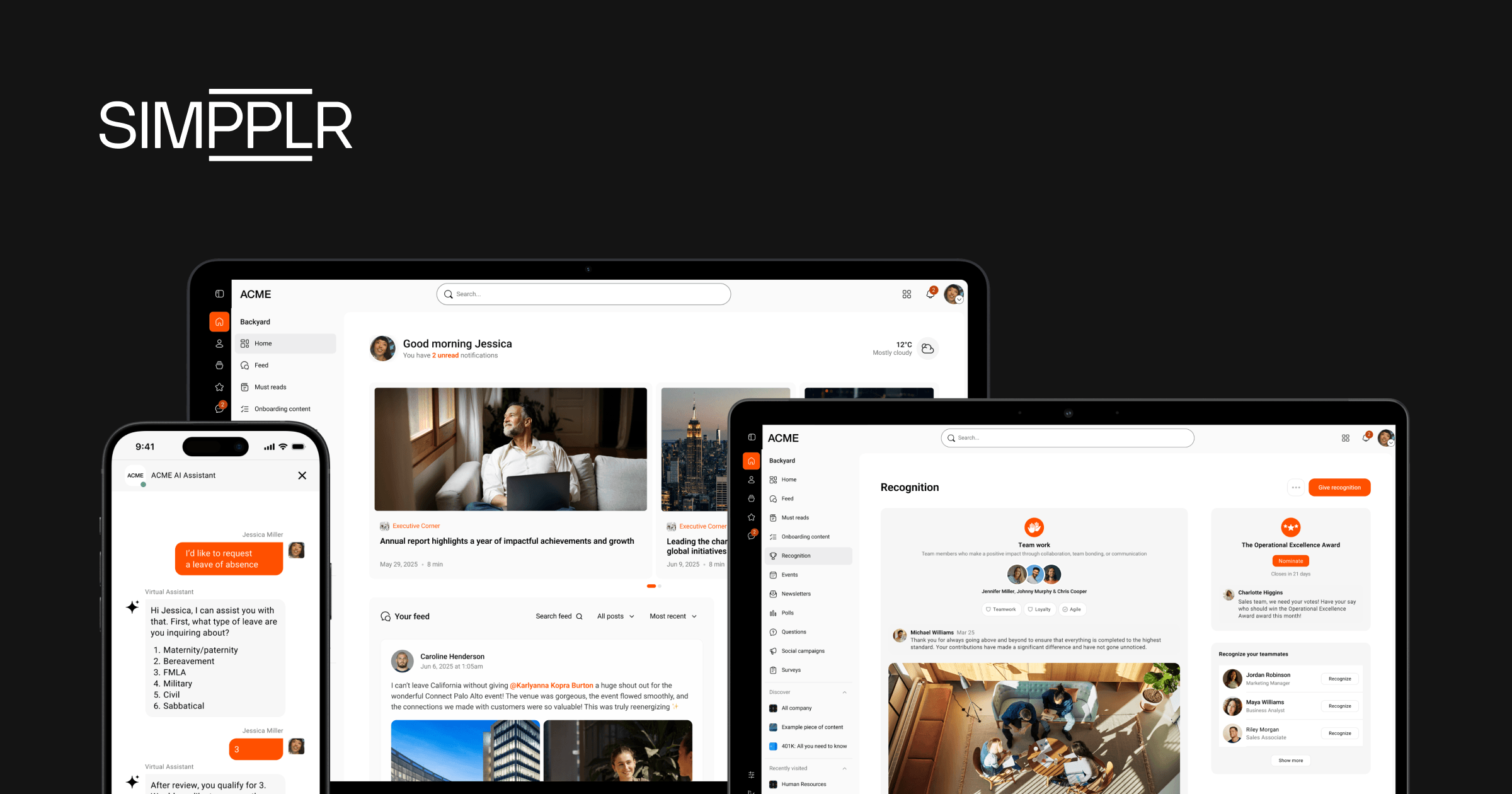
Simpplr functions as a digital work hub built to support this exact transition. Structured onboarding guides your team through migration instead of leaving you to figure it out alone. Moreover, enterprise-grade security, including ISO 27001, SOC 2 Type II, and HIPAA compliance, is built into the platform rather than added after the fact.
AI-native search and communication tools help your organization realize value quickly once content moves, so the migration pays off in weeks, not quarters. The result is a platform that reduces the admin burden on your IT team while giving employees an experience that’s actually easier to use than what they had before.
Request a personalized demo today to see how Simpplr can reduce your infrastructure overhead while improving the employee experience.
Watch a 5-minute demo
See how the Simpplr employee experience platform connects, engages and empowers your workforce.
- #1 Leader in the Gartner Magic Quadrant™
- 90%+ Employee adoption rate